
Last updated: 10 September 2026. This is an independent informational guide for UK travellers and is not affiliated with, or operated by, the Government of Malawi. The only application portal is evisa.gov.mw. Always confirm current requirements and fees there before applying.
To apply for a Malawi eVisa in 2026, visit the e-immigration portal at evisa.gov.mw, create an account, complete the online form with your personal and travel details, upload your passport scan and digital photo, pay the fee by Visa or Mastercard, and submit. You will receive a confirmation email and, once approved, download and print your eVisa for presentation at the port of entry.
The Malawi eVisa application process is managed by the Department of Immigration and Citizenship Services (Ministry of Home Affairs and Homeland Security of the Republic of Malawi, headquartered in Blantyre, PO Box 331, +265-1823777). The fully digital workflow consists of three steps: create an account and submit the form, pay online, then download the approved eVisa.
Before starting, confirm your eligibility using the Visa Eligibility Wizard on the portal. UK passport holders generally fall into Category One, which requires an eVisa before departure. The public notice of 24 February 2026 sets the current nationality classification and visa requirements.
What Is a Malawi eVisa and Who Needs One?
The Malawi eVisa is an electronic travel authorisation issued via the Department of Immigration and Citizenship Services at evisa.gov.mw, required for Category One nationals including UK passport holders before departure.
Under the Public Notice of 24 February 2026, the Department classifies nationals into two categories: Category One must obtain an eVisa before departure and carriers will not permit boarding without it; Category Two nationals are eligible for a Visa on Arrival at all designated ports of entry into the Republic of Malawi. UK travellers asking how to apply for a Malawi eVisa should first confirm their nationality category using the Visa Eligibility Wizard on the evisa.gov.mw portal.
Do UK Travellers Need an eVisa or a Visa on Arrival?
UK passport holders generally fall under Category One, meaning the Malawi eVisa must be obtained online before departure rather than on arrival. The Visa Eligibility Wizard on the evisa.gov.mw portal provides definitive confirmation of your classification.
What You Need Before You Start the Application
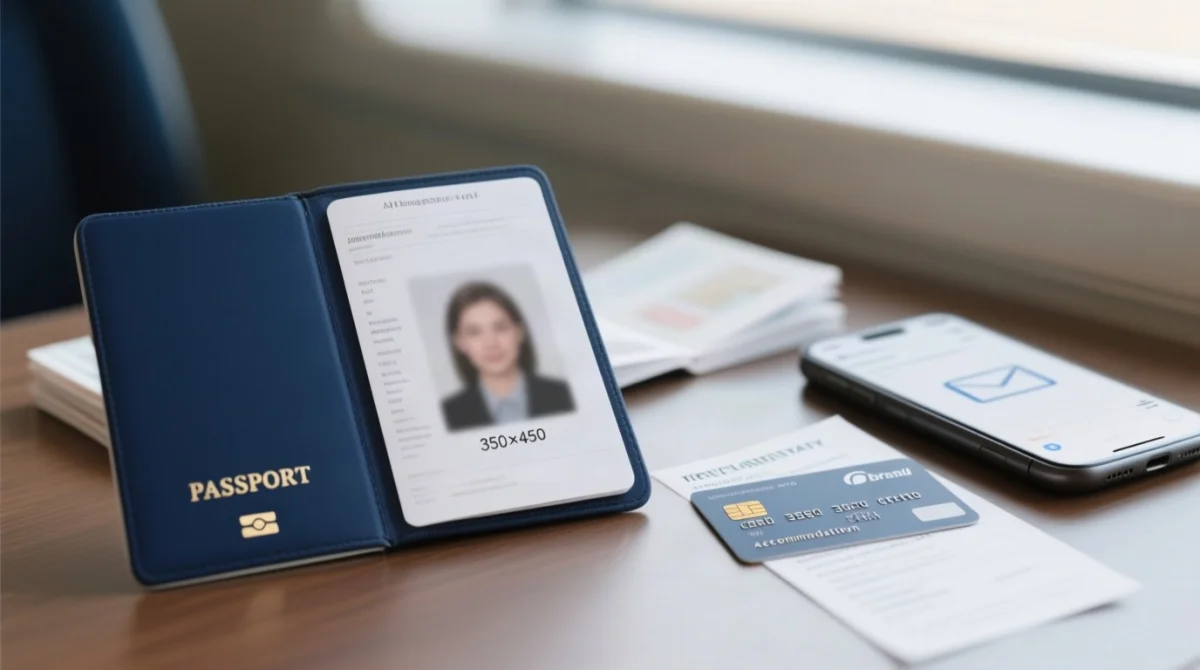
- Valid passport – at least 6 months of remaining validity and 1+ blank page.
- Passport data page scan – the biographical/information page of your passport, saved as PDF, JPEG, or PNG (max 2 MB).
- Digital passport photo – JPEG or PNG, max 2 MB, 350 × 450 px, plain white background with no shadows.
- Travel details – flight itinerary, accommodation address in Malawi, and purpose of visit.
- Payment card – a Visa or Mastercard credit or debit card for the visa fee and convenience fee.
- Active email address – for account creation and the confirmation email.
Photo Requirements for Upload
The Malawi eVisa application process rejects non-compliant photos. Your image must measure 350 × 450 px, use a white background free of shadows, and be saved as JPEG or PNG at 2 MB or below. Keep your facial expression neutral, remove accessories such as glasses, and ensure full face visibility.
Uploading Documents Without Errors
The Malawi eVisa document upload process accepts PDF, JPEG, and PNG files, each capped at 2 MB. Scan the biographical data page of your passport rather than a visa page, and confirm the image is sharp and fully legible before uploading.
Step 1 – Create Your Account on the e-Immigration Portal
The Malawi eVisa application process begins with account creation at evisa.gov.mw: click Create Account, enter full name, email, password, then submit. Activate via the confirmation email link (check spam if missing). Required browser versions: Chrome 70+, Firefox 60+, Edge 42+, Safari 11+, Opera 56+ with JavaScript and cookies enabled.
Navigate to evisa.gov.mw and click Create Account
Go to the e-immigration portal and start the registration process.
Enter your full name, email address, and a password
Submit the registration form with your details.
Check your inbox for an activation email
Click the confirmation link to activate the account.
Log in with your new credentials
Access the dashboard to begin your application.
Use the Visa Eligibility Wizard
Confirm your nationality category before starting an application.
Activating Your Account
If the activation email does not arrive within a few minutes, check your spam or junk folder. If the link has expired, return to the portal and request a new activation email. The Malawi eVisa application requires account activation before you can proceed.
Technical Requirements for the Portal
The portal requires Chrome 70+, Firefox 60+, Edge 42+, Safari 11+, or Opera 56+, with JavaScript and cookies enabled. Clear your browser cache if pages fail to load.
Step 2A – Filling Out the Malawi eVisa Application Form
The Malawi eVisa application form requires personal details matching your passport data page exactly, travel itinerary information, and uploads of your passport scan and digital photograph before submission.
- Start a new application after logging in at evisa.gov.mw and select the appropriate visa category.
- Enter personal fields exactly as printed on your passport data page: full name, date of birth, nationality, passport number, and passport expiry date.
- Enter travel fields: intended date of arrival, port of entry, purpose of visit, and your accommodation address in Malawi.
- Upload your passport data page scan (the biographical page containing your photo and personal details) in an accepted format.
- Upload your digital passport photograph meeting the portal specifications.
- Review every entry for accuracy, then confirm and submit the form.
- Note your application reference number displayed after submission so you can track the Malawi eVisa application status later.
Verify each field to avoid delays or rejection.
Step 2B – Malawi eVisa Fees and Payment
The Malawi eVisa fee consists of a visa fee plus a separate convenience fee, both payable online by Visa or Mastercard credit or debit card at the point of submission.
Understanding the Fees
The fee (visa fee + convenience fee) depends on entry type (single-entry, multiple-entry, or transit); exact amounts are set by the Department of Immigration and Citizenship Services. Check current rates at evisa.gov.mw before submitting, as amounts may change without prior notice.
Payment Tips for UK Travellers
Transactions are billed in a non-GBP currency; your bank sets the conversion rate. Have your banking app ready for 3D Secure authentication. Avoid VPN to prevent interference with card-issuer verification.
Troubleshooting Payment Issues
If your transaction is declined, check three things: your card must be enabled for international use, your account must have sufficient funds, and the card details must match exactly. Duplicate pending charges are typically pre-authorisations that drop off within 3-5 business days; if they persist, contact your card issuer before raising a dispute with the portal.
Step 3 – Receive, Download, and Print Your eVisa
After your Malawi eVisa submission, a confirmation email with your application reference number arrives immediately; once approved, download the eVisa PDF, print it, and carry it to the port of entry.
Check your inbox
Receive the confirmation email with your application reference number, applicant name, and status summary.
Receive your eVisa PDF
Once approved, a second email arrives with a downloadable eVisa PDF.
Download and print
Save the eVisa PDF securely, then print the approval letter – mandatory at passport control.
What Does the Confirmation Email Look Like?
The confirmation email contains your application reference number, applicant name, and current status. If it does not appear in your inbox shortly after submission, check the spam or junk folder before contacting support.
What to Bring to the Airport
- Printed Malawi eVisa approval letter (mandatory)
- Valid passport
- Flight itinerary, accommodation booking confirmation, and travel insurance proof (recommended)
Port of Entry immigration officials retain the right to deny entry without explanation, so carry all supporting documents.
Processing Time and Application Status Tracking
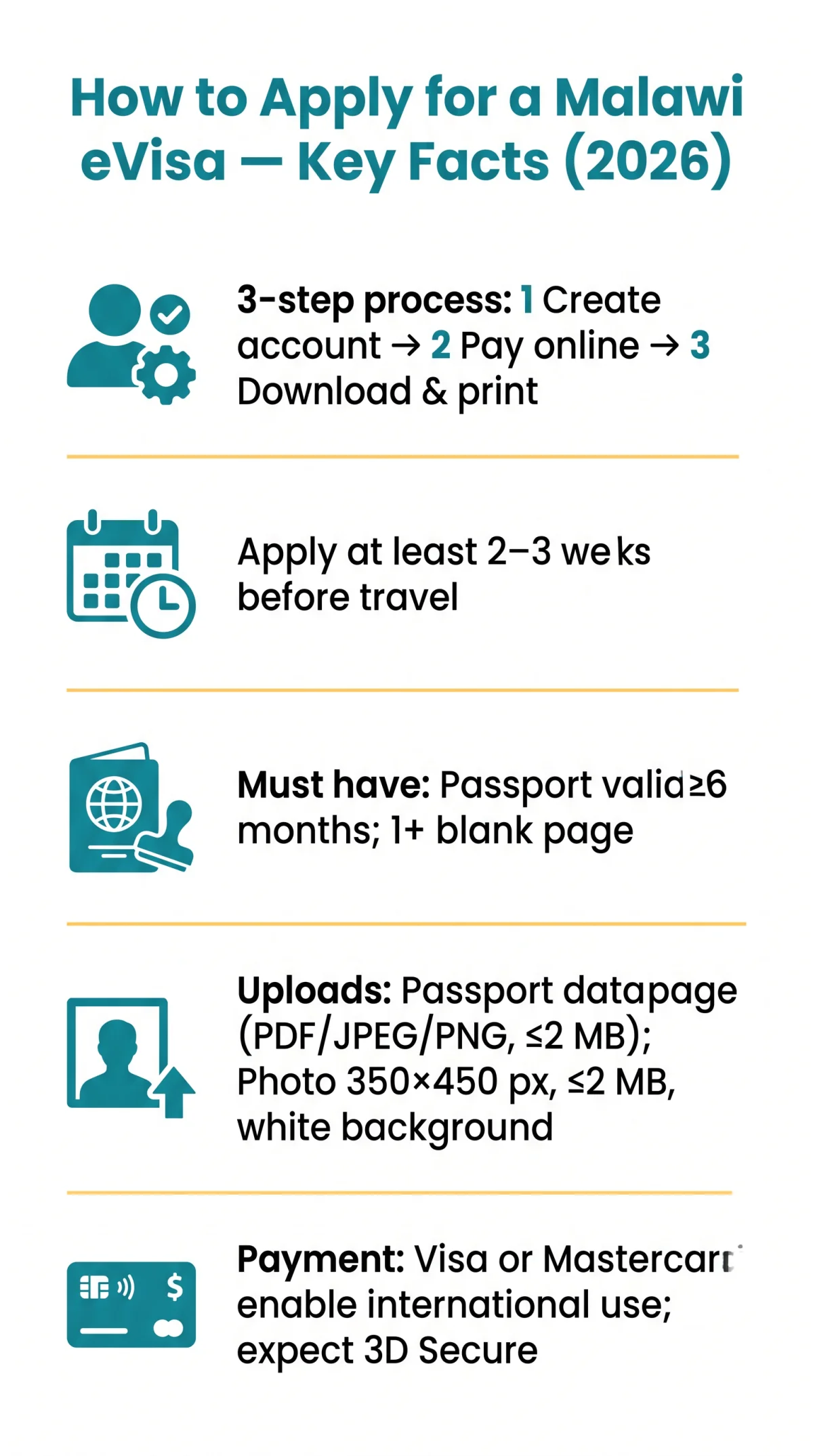
The Malawi eVisa processing time is measured in business days; submit your application at least 2 to 3 weeks before your intended travel date. Processing speed depends on application completeness, public holidays, and periods of high demand.
The Department of Immigration and Citizenship Services processes applications. Track your Malawi eVisa application status on evisa.gov.mw using your application reference number.
Possible statuses include: pending, under review, approved, and rejected. If your status has not changed beyond the expected timeframe, wait 3 to 5 business days before contacting support. If the confirmation email is delayed, check your spam folder first, then re-request it through the portal.
Common Mistakes to Avoid When Applying
The most frequent Malawi eVisa errors are passport number typos, uploading the wrong document page, submitting a non-compliant photograph, and applying with under six months of passport validity.
- Typos in passport number or full name: every field must match your passport data page exactly.
- Uploading the wrong page: the portal requires the biographical data page, not a visa page.
- Non-compliant photograph: wrong file size, background colour, or format will trigger rejection.
- Passport expiring within 6 months: the Malawi eVisa application process requires at least six months of remaining validity.
- Payment failure: ensure your Visa or Mastercard is enabled for international transactions.
- Not printing the eVisa: mandatory printed copy at port of entry.
- Submitting too close to departure: allow a minimum of 2 to 3 weeks before your travel date.
- Unsupported browser: use Chrome 70+, Firefox 60+, Edge 42+, Safari 11+, or Opera 56+ with JavaScript and cookies enabled.
FAQ: How to Apply for a Malawi eVisa
How do I apply for a Malawi eVisa online?
Go to evisa.gov.mw, create an account, fill in the application form with your personal and travel details, upload your passport data page scan and digital photo, pay the visa fee and convenience fee by Visa or Mastercard, and submit. A confirmation email with your reference number follows immediately.
How much does a Malawi eVisa cost in 2026?
The total cost is a visa fee plus a separate convenience fee, both payable by Visa or Mastercard. Exact amounts vary by entry type (single-entry, multiple-entry, transit) and are set by the Department of Immigration and Citizenship Services. Check evisa.gov.mw for current rates.
How long does it take to get a Malawi eVisa?
Processing is measured in business days. Apply at least 2 to 3 weeks before travel to allow time for review, corrections, and approval.
Can I get a visa on arrival instead of applying online?
Category Two nationals may obtain a Visa on Arrival at designated ports of entry. However, Category One nationals, including UK passport holders, must obtain an eVisa before departure. Use the Visa Eligibility Wizard on evisa.gov.mw to confirm your category before travelling.
What documents do I need for a Malawi eVisa application?
You need a valid passport with at least six months remaining validity, a scan of your passport data page in PDF or JPEG format, a compliant digital passport photo, your travel itinerary details, and a Visa or Mastercard for payment. Ensure all uploaded files meet the format and size requirements specified on the portal.
What happens if my Malawi eVisa application is rejected?
Common causes include incorrect personal information, an invalid or soon-to-expire passport, or a non-compliant photograph. You can reapply with corrected details and updated documents through the same portal at evisa.gov.mw. Ensure your passport has at least six months validity and your photo meets the specified format requirements before resubmitting.
Can I be denied entry to Malawi even with a valid eVisa?
Yes. Port of Entry immigration officials retain the right to deny entry to any eVisa holder without explanation. This authority is held by officials at all designated ports of entry into the Republic of Malawi. Always carry your printed approval letter, valid passport, flight itinerary, and accommodation confirmation to present at passport control.
Do I need to print my Malawi eVisa?
Yes. A printed copy of the eVisa approval letter is mandatory and must be presented at the passport control counter at your port of entry. A digital copy on your phone is not sufficient.
What browsers work with the Malawi e-immigration portal?
The portal supports Chrome 70 and above, Firefox 60 and above, Edge 42 and above, Safari 11 and above, and Opera 56 and above. JavaScript and cookies must be enabled for the application to function correctly. Using the latest browser version is recommended to avoid compatibility issues during the Malawi eVisa application process.
What is the Malawi eVisa validity and how long can I stay?
Validity and permitted duration of stay depend on the visa type you select (single-entry, multiple-entry, or transit). The specific dates are printed on your approval letter. Check the letter carefully before travelling to ensure your stay falls within the authorised period set by the Department of Immigration and Citizenship Services.
Sources: evisa.gov.mw (e-immigration portal), Department of Immigration and Citizenship Services, Public Notice of 24 February 2026. Requirements may change without notice. Last verified against the live portal on 10 September 2026.