
Fraudulent Malawi eVisa websites are increasing in 2026; only evisa.gov.mw, operated by the Department of Immigration and Citizenship Services, processes genuine applications. This guide shows UK travellers how to verify the portal, spot fakes, and protect data.
Published: 10 September 2026 | Last updated: 10 September 2026. This article is for informational purposes only and does not constitute legal advice. This portal is an independent travel information service and is not affiliated with the Government of Malawi. For cross-reference, consult the GOV.UK Malawi travel advice page.
How to Verify You’re on the Genuine Malawi eVisa Portal
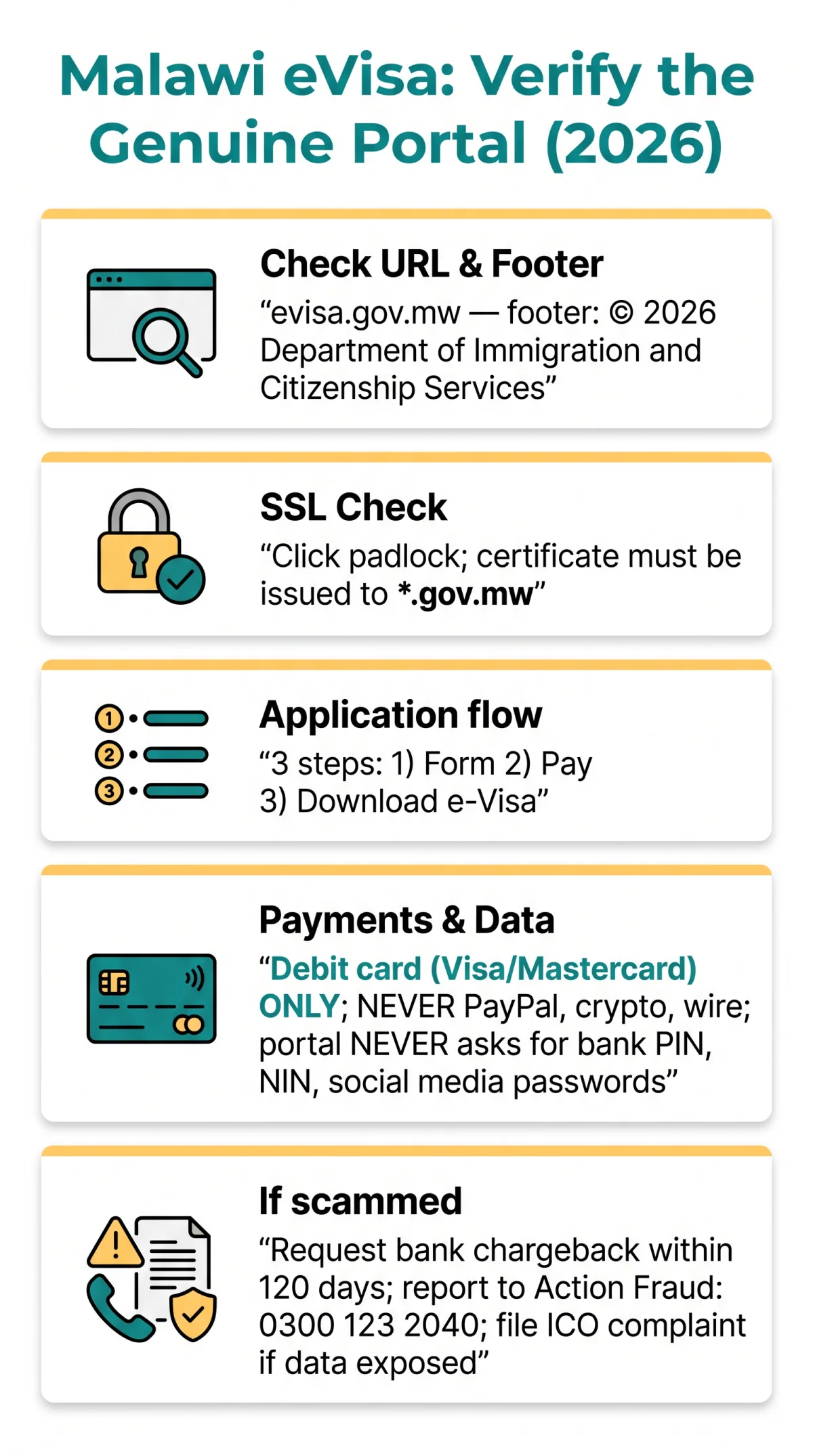
The only way to confirm you are on a malawi evisa safe website is to check that the URL reads exactly evisa.gov.mw, the SSL padlock shows a valid .gov.mw certificate, and the footer displays a 2026 copyright from the Department of Immigration and Citizenship Services.
Check the URL Carefully
The address bar must read exactly evisa.gov.mw with no subdomains or prefixes. The .gov.mw ending confirms a government entity; fraudulent lookalike domains include , , and .
Verify the SSL Certificate and Padlock
Click the padlock icon; the SSL certificate must be issued to *.gov.mw. Any other issuer signals a phishing site.
Check the Page Footer
The footer must display © 2026 Department of Immigration and Citizenship Services. The Malawi eVisa portal never redirects to a .com or .org domain at any stage.
Observe the Application Flow
The genuine evisa.gov.mw uses exactly 3 steps: complete the online form, pay the fee, then download the e-Visa. Promises of instant approval indicate a fake.
Use the Status Check Tool
Use the Check Status of Visa tool only on evisa.gov.mw; never via email or SMS links.
Red Flags: How to Spot a Fake Malawi eVisa Website
Fake Malawi eVisa sites use typosquatting domains, demand PayPal or crypto payments, and promise guaranteed approval.
Common Scam URL Patterns
- Typosquatting domains: , ,
- Google Ads bidding on “Malawi eVisa” to redirect users to agency upsell pages
- WhatsApp or Telegram groups offering “fast-track” processing
- Emails from @gmail.com or @outlook.com posing as Malawi Immigration staff
Fake Urgency and False Guarantees
- Countdown timers pressuring immediate payment
- Fabricated seals not matching Department of Immigration branding
- “Guaranteed approval” claims: evisa.gov.mw states that port of entry officials retain the right to deny entry to an e-Visa holder without explanation
Payment Red Flags
- The genuine portal accepts debit card (Visa / Mastercard) only; requests for wire transfer, cryptocurrency, PayPal, or gift cards are fraudulent
- Fees higher than the standard visa fee + convenience fee displayed as two line items on evisa.gov.mw
- Missing PCI-DSS compliance badge on the checkout page
What the Real Malawi eVisa Portal Asks For and How to Protect Your Data
The genuine evisa.gov.mw portal collects passport data, a biometric photo, and debit card (Visa / Mastercard) payment; it never requests banking PINs, NIN numbers, or social media passwords.
What the Genuine Portal Requires
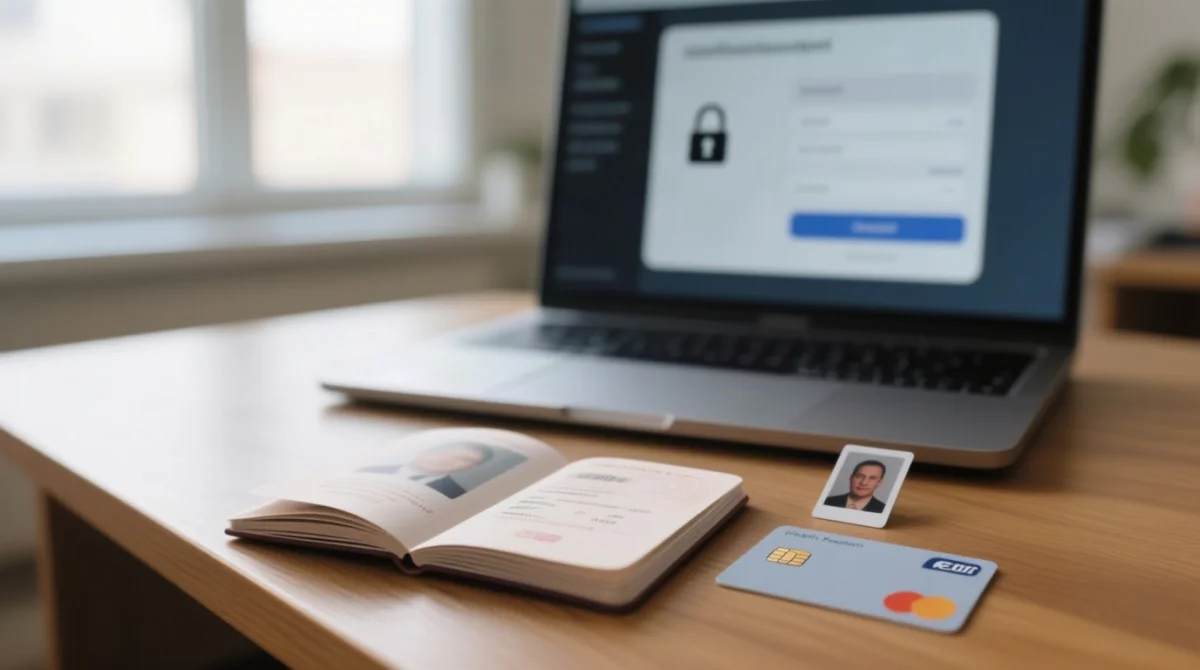
The Malawi eVisa portal at evisa.gov.mw requires personal information matching your passport data page, travel details, a biometric photograph, supporting documents, and debit card (Visa / Mastercard) payment. Track your application via the built-in Check Status of Visa tool.
What It Never Asks For: Red Flag Checklist
| The real portal asks for | The real portal NEVER asks for |
|---|---|
| Passport number, name, date of birth | Bank account PIN or password |
| Travel dates and accommodation details | National Insurance Number (UK) |
| Biometric photograph | Social media login credentials |
| Supporting documents (passport scan, booking confirmation) | Full card number via email or SMS |
| Debit card (Visa / Mastercard) payment at checkout | Wire transfer, cryptocurrency, or PayPal |
Protecting Your Personal and Payment Data
Never email passport scans to any address claiming to represent evisa.gov.mw or Malawi Immigration. At checkout, verify the PCI-DSS badge, use a virtual debit card with 3D Secure, and save the confirmation reference number. The payment URL must remain on evisa.gov.mw with a valid SSL padlock throughout; the portal shows two separate line items (the visa fee and the convenience fee) before you confirm payment.
Third-Party Agencies, Scam Recovery, and UK-Specific Protection Steps
Legitimate commercial visa services are not affiliated with the Malawi government. Here’s how to distinguish them from scams and what to do if you’ve already paid one.
How to Verify a Third-Party Visa Agency
- Confirm Companies House registration and FCA authorization for payment handling before sharing any passport data.
- Look for a verifiable physical address and transparent fee disclosure that separates service charges from government fees.
- Applying directly via evisa.gov.mw requires no intermediary.
What to Do If You Paid a Scam Site: UK Recovery Steps
- Request a bank chargeback within 120 days of the transaction date.
- Report to Action Fraud UK at or call 0300 123 2040.
- File a data breach report with the ICO at.
- Submit a Google Safe Browsing report for the fraudulent URL and change passwords for any exposed accounts.
Browser Safety Tips
- Enable Google Safe Browsing and SmartScreen warnings in your browser settings.
- The Malawi eVisa portal is optimized for Opera 56 but functions on modern browsers generally.
- Always type evisa.gov.mw directly into the address bar rather than clicking email or advertisement links.
Frequently Asked Questions (FAQ) About Malawi eVisa Safety
What is the correct URL for the Malawi eVisa portal?
The correct URL for the genuine Malawi eVisa portal is exactly evisa.gov.mw. The URL must be exactly evisa.gov.mw: no subdomains, prefixes, or .com/.org variants. The legitimate portal is the only government-operated platform processing Malawi eVisa applications.
How can I tell if a Malawi eVisa website is a scam?
Scam websites often use typosquatting domains like or . Red flags include fake urgency timers, promises of guaranteed approval, and requests for payments via wire transfer, cryptocurrency, or PayPal. The genuine evisa.gov.mw portal only accepts debit card (Visa / Mastercard) payments.
How much does the Malawi eVisa cost through the genuine portal?
The genuine evisa.gov.mw portal charges a visa fee and a convenience fee, displayed as two separate line items during the payment step. If a website demands significantly higher fees or unusual payment methods, it is likely a fraudulent eVisa portal.
What documents do I need to apply for a Malawi eVisa?
You need information as per your passport data page, travel details, a photograph, and related supporting documents. The genuine portal requires these in a 3-step process. It never asks for your bank PIN, National Insurance Number, or social media login credentials.
How do I check the SSL security of the eVisa website?
The genuine evisa.gov.mw portal displays a padlock icon in the browser address bar. Click the padlock to confirm the SSL certificate is issued to *.gov.mw. The URL must remain on evisa.gov.mw with a valid HTTPS indicator throughout the entire application and secure payment process.
Can I use a third-party agent to apply for a Malawi eVisa?
While legitimate commercial visa services exist, they are not affiliated with the Malawi government. You can verify an agency’s legitimacy by checking their Companies House registration and FCA authorization. However, applying directly via evisa.gov.mw is the most secure method. If you need consular assistance, contact the Malawi High Commission in London or consult the GOV.UK directory for embassy and consulate details.
How long does the Malawi eVisa take to process on the genuine website?
The genuine portal offers a Check Status of Visa tool to track your application. Fake sites often promise instant or unrealistic approval times. The Department of Immigration and Citizenship Services is the sole authority reviewing and processing the applications on evisa.gov.mw.
How do I report a fake Malawi eVisa website?
You can report fraudulent websites through Google Safe Browsing. If you encounter a phishing or unsafe eVisa site, you should also warn other travellers by reporting the lookalike domain to relevant cybersecurity platforms to have it flagged or taken down.
What should I do if I paid a scam eVisa website?
Request a bank chargeback within 120 days. Report to Action Fraud UK ( or 0300 123 2040) and, if data was compromised, to the ICO . Change your passwords.
Is the Malawi eVisa available for UK citizens?
Yes, UK citizens can apply for a Malawi eVisa through the genuine evisa.gov.mw portal. Depending on the category, some travellers must obtain a visa or prior authorization before departure, while others may be eligible for Visa on Arrival at designated ports of entry.