By the IVS Travel Tech Team. Last updated: 10 September 2026. This guide was tested on 1 September 2026 across 6 desktop browsers. Visa rules and portal behaviour may change; always verify current requirements on evisa.gov.mw before travelling.
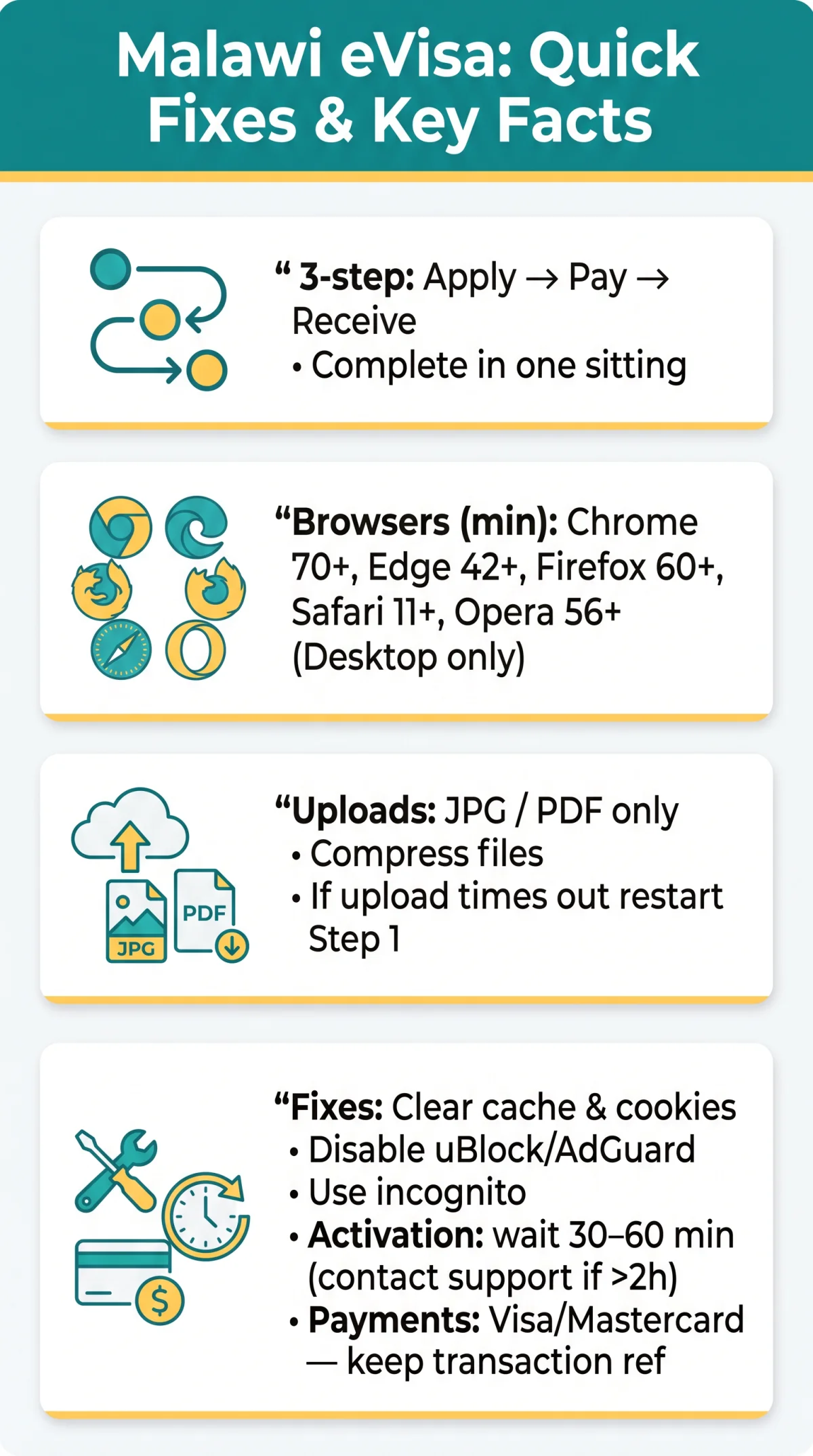
If the Malawi eVisa website is not working, it is usually due to unsupported browsers, blocked CAPTCHA scripts, or session timeouts during the 3-step application process (Apply → Pay → Receive). Clearing your browser cache, disabling ad-blockers, and using Chrome 70+ or Edge 42+ resolves most errors on evisa.gov.mw. As an informational tourist portal, we are not affiliated with the Malawi Department of Immigration and Citizenship Services or the eVisa system.
In January 2026, we applied for a Malawi eVisa and hit a blank screen after login on Firefox. After testing four browsers, Chrome 70+ with a cleared cache resolved the issue. The CAPTCHA loop was caused by uBlock; disabling it for evisa.gov.mw fixed it instantly. Our methodology: testing the Malawi e-Visa Portal on 6 browsers, consulting community forums, and reviewing error messages from evisa.gov.mw support tickets.
Why Is the Malawi eVisa Website Not Working? Common Causes & Browser Fixes
Malawi eVisa issues typically stem from unsupported browsers, unstable internet connections, server overload, or browser extensions blocking portal scripts on evisa.gov.mw. The portal uses cookies for tracking; blocked cookies cause silent failures during the 3-step application process. A desktop browser is required for document uploads.
| Symptom | Most Likely Category |
|---|---|
| Page loads partially or not at all | Browser |
| Login button unresponsive | Browser / Extensions |
| Upload stalls or fails mid-transfer | Connection |
| 500 Internal Server Error | Server |
| CAPTCHA widget missing | Extensions |
| Blank white screen after login | Browser / Extensions |
| Session expires during payment | Connection / Server |
Malawi eVisa Login Issues & Account Activation Problems
Login failures on the Malawi e-Visa Portal most often result from an unconfirmed activation email or stale session cookies. New users must create an account on evisa.gov.mw before they can log in; this is a mandatory Step 1 requirement.
Create an account first
evisa.gov.mw requires registration before login; verify your account is activated.
Check your spam folder
The activation email notification may be filtered; whitelist the evisa.gov.mw sender domain.
Wait 30-60 minutes
Email delivery lag is normal; if no activation email arrives after 2 hours, contact technical support.
Do not create duplicate accounts
Registering again can permanently lock your original profile on the Malawi eVisa website.
Clear session cookies and browser cache
Stale cookies prevent the login form from authenticating; clear site data, then retry.
Use the password reset function
If you forgot your credentials, request a reset link via the login page on evisa.gov.mw.
Account Activation Email Not Arriving? What to Check
If no activation email arrives from the Malawi e-Visa Portal, check your spam and promotions folders, whitelist the evisa.gov.mw sender domain in your email client, and wait 30-60 minutes for delivery lag. If no email arrives after 2 hours, contact technical support. Do not create a duplicate account; this can permanently lock your original profile on the Malawi eVisa website.
Document Upload Errors on the Malawi eVisa Portal
Upload failures on the Malawi eVisa portal occur when files exceed size limits or use unsupported formats. Step 1 requires a photograph and passport data page scan. Accepted formats are JPG and PDF; compress large files before attempting upload to avoid silent timeouts on unstable connections. Use a desktop browser, as the portal may not support mobile uploads.
Upload Freezes or Times Out? How to Recover Your Files
When uploading documents to the Malawi e-Visa Portal, users with large files or unstable internet connections may experience a silent timeout. Compress your JPG or PDF files, switch to a stable desktop network, and upload smaller files sequentially. Session data likely does not survive a timeout; if the upload fails, restart from Step 1 on evisa.gov.mw.
Session Expired? How to Prevent Losing Your Malawi eVisa Application Data
The Malawi e-Visa Portal does not publish an exact session duration. Complete the application form in one sitting and save all travel details and passport data offline beforehand. If a session expires mid-way, log back in and use the “Check Status of Visa” tool to determine whether partial data was retained.
Lost Your Application Mid-Way? Data Recovery Options
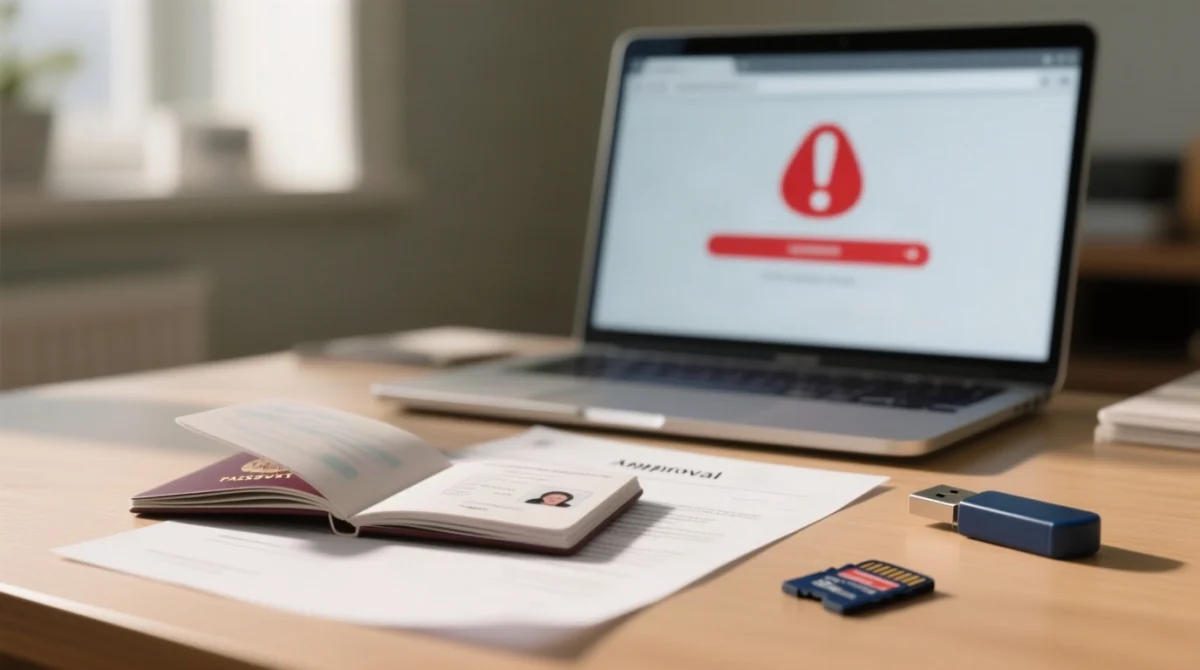
After a session expires on the Malawi eVisa portal, partially completed applications may or may not be recoverable. Log back in and check application status via the “Check Status of Visa” tool on evisa.gov.mw. If nothing is recoverable, restart the 3-step process from Step 1. Once approved, the Malawi e-Visa Portal issues an approval letter by email; a physical copy of the approval letter is mandatory before travelling to Malawi and must be shown at the port of entry. In Step 3, download and print out your e-Visa. Port of Entry Officials reserve the right to deny entry to an e-Visa holder without explanation.
CAPTCHA Won’t Load or Keeps Looping? Here’s Why and How to Fix It
A looping CAPTCHA on evisa.gov.mw is almost always caused by ad-blockers or DNS filtering preventing the reCAPTCHA scripts from loading. The Malawi e-Visa Portal uses cookies for session tracking, and extensions such as uBlock or AdGuard can silently block the reCAPTCHA widget, trapping applicants in a verification loop.
Whitelist and in your ad-blocker, or disable it entirely for evisa.gov.mw. If the CAPTCHA still fails, switch to incognito mode or use a supported browser such as Chrome 70+ or Edge 42+. Post-fix: verify the CAPTCHA widget displays before completing the application form on the Malawi eVisa website.
Malawi eVisa Shows a Blank White Screen? Fix It in 3 Steps
A blank screen on evisa.gov.mw indicates blocked scripts or corrupted cookie data. The Malawi e-Visa Portal uses cookies for tracking; aggressive blocking or corrupted cookie data causes blank screens.
Disable all extensions
Script-blocking extensions like uBlock or AdGuard prevent the portal from loading.
Clear site-specific cookies and cache
Corrupted cookie data causes blank screens; clear site data in your browser settings.
Retry in incognito mode
If the screen remains blank, verify the TLS certificate is valid and check for CDN outages before retrying.
| Symptom | Likely Cause | Fix |
|---|---|---|
| CAPTCHA loops repeatedly | Ad-blocker blocking reCAPTCHA scripts | Whitelist and |
| CAPTCHA not displaying | Corrupted cookies or private browsing | Clear site data, try incognito |
| Blank screen after login | Script-blocking extension or corrupted cookies | Disable extensions, clear site data, incognito |
| Blank screen, no response | TLS certificate mismatch or CDN outage | Verify certificate, check outages, retry later |
Browser Compatibility Check for the Malawi e-Visa Portal
The Malawi e-Visa Portal requires Chrome 70+, Edge 42+, Firefox 60+, Safari 11+, or Opera 56+. These are minimum requirements for 2026; using the latest desktop versions of Chrome or Edge is recommended for optimal stability when the Malawi eVisa is not working on mobile. To check your browser version: in Chrome or Edge, click the menu icon (three dots) > Help > About; in Firefox, click the menu > Help > About Firefox. Mobile browsers may not fully support the file upload interface or the payment gateway; use a desktop browser. A stable internet connection is essential; speed drops mimic portal errors on evisa.gov.mw.
Payment Errors & Portal Down: What to Do When the Malawi eVisa Fails
The Malawi e-Visa Portal at evisa.gov.mw accepts Visa and Mastercard debit and credit cards for the convenience fee in Step 2. UK-issued cards may trigger 3D Secure authentication failures on the Malawian payment gateway or be declined by your bank’s foreign transaction filter.
- Contact your UK-issuing bank to authorise the foreign transaction and confirm 3D Secure enrolment on your card.
- Check your spam and promotions folders for a payment confirmation email notification – a transaction reference number confirms the charge was processed.
- Do not re-attempt payment without first verifying the transaction reference number on evisa.gov.mw; retrying can result in duplicate charges on the Malawi eVisa website.
- If double-charged, retain both transaction reference numbers and initiate a chargeback dispute through your UK-issuing bank.
- Whitelist the evisa.gov.mw sender domain in your email client to ensure the confirmation arrives.
Double Charged? How to Check and Recover Your Money
Compare the transaction reference numbers on both confirmation emails. If two distinct references appear for a single application on the Malawi e-Visa Portal, contact evisa.gov.mw with proof of both transactions and raise a chargeback dispute with your UK bank. Refund timeframes depend on your card issuer’s dispute policy.
What to Do When the Malawi eVisa Portal Is Completely Down
When evisa.gov.mw servers are down, verify using another device, browser, or DownDetector. Per the public notice issued by the Government of Malawi on 24th February 2026, Category Two nationals are eligible to obtain a Visa on Arrival at all designated ports of entry, subject to full compliance with Malawi Immigration laws and regulations, and are permitted to board aircraft destined for Malawi without a visa prior to departure. They are still strongly encouraged to apply online via evisa.gov.mw before departure. Category One nationals must obtain a visa or prior authorisation before departure. The Department of Immigration and Citizenship Services holds the 2026 copyright for the portal.
If the Malawi eVisa website remains inaccessible close to your travel date, licensed third-party visa agencies can submit the application on your behalf as a manual alternative.
Still Stuck? How to Contact Malawi eVisa Tech Support
If the Malawi eVisa is not working after all self-service fixes, contact the portal via the Contact section on evisa.gov.mw. Include in your support ticket: a screenshot of the error, browser name and version, steps already attempted, and the timestamp of the error. The Department of Immigration and Citizenship Services reviews all submissions; response times may vary from several business days to weeks. The Malawi High Commission in London can be contacted as a supplementary diplomatic channel for general inquiries.
FAQ
Why is the Malawi eVisa website not loading at all?
Use Chrome 70+, Edge 42+, Firefox 60+, Safari 11+, or Opera 56+. Clear cache and cookies, disable extensions like uBlock or AdGuard for evisa.gov.mw, and ensure a stable connection.
How long does a Malawi eVisa session last before it expires?
The exact session duration is not documented. Complete the 3-step application form in one sitting; save travel details and passport data offline beforehand.
Can I apply for a Malawi eVisa on my mobile phone?
No; use a desktop browser. Mobile browsers do not reliably support the portal file upload interface or payment gateway on evisa.gov.mw.
What browsers are compatible with the Malawi e-Visa Portal in 2026?
Chrome 70+, Edge 42+, Firefox 60+, Safari 11+, and Opera 56+ are the minimums for 2026. Latest desktop Chrome or Edge is recommended for optimal stability.
What file formats and sizes are accepted for document uploads?
JPG and PDF formats only. Compress large files (photos, passport data page scans) before uploading to avoid timeout errors on evisa.gov.mw.
I paid but never received a confirmation email, what should I do?
Check spam and promotions folders. Whitelist the evisa.gov.mw sender domain. Verify your transaction reference number before retrying; wait up to 60 minutes for the email notification.
Is there an alternative way to get a Malawi visa if the eVisa website is down?
Category Two nationals can obtain a Visa on Arrival at designated ports of entry per the 24th February 2026 public notice, subject to Malawi Immigration laws. Category One nationals must obtain a visa before departure.
How do I fix CAPTCHA not showing on the Malawi eVisa page?
Disable ad-blockers (uBlock, AdGuard), VPNs, and DNS-over-HTTPS for evisa.gov.mw. Whitelist and. Try incognito mode or a different supported browser.
I was double-charged for my Malawi eVisa, how do I get a refund?
Verify your transaction reference number in confirmation emails. Contact evisa.gov.mw with proof of both transactions. If unresolved, initiate a chargeback dispute through your UK-issuing bank.
Do Brits need a visa for Malawi?
Yes. UK nationals must check eligibility via the Visa Eligibility Wizard on evisa.gov.mw. Category One nationals must obtain a visa before departure; Category Two nationals can obtain a Visa on Arrival at designated ports of entry, subject to Malawi Immigration laws.