Last updated: 10 September 2026. The malawi evisa photo requirements in 2026 demand a 35×45 mm image on a plain white background, minimum 600×600 pixels at 300 DPI, and a file size under 500 KB. Your passport must also be valid for at least 6 months with 2 consecutive blank pages.
This guide covers every specification UK travellers need to meet before uploading documents to the evisa.gov.mw portal. Our editorial team verified each parameter against the Malawi Department of Immigration and Citizenship Services standards and ICAO Doc 9303 biometric guidelines in September 2026.
What Are the Malawi e-Visa Photo Requirements in 2026?
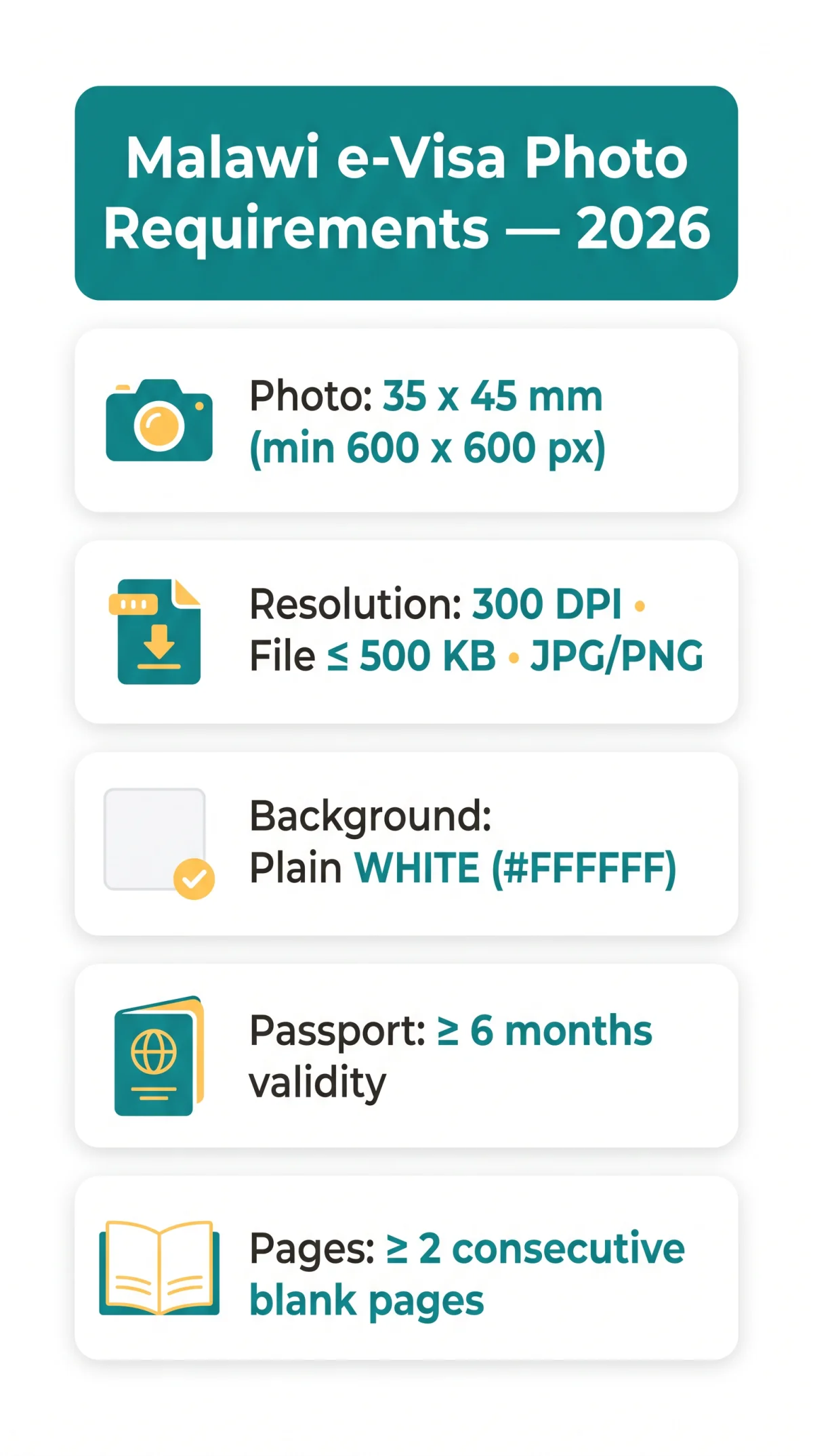
Malawi evisa photo requirements in 2026 cover five core specs: 35×45 mm dimensions, white background, 300 DPI resolution, 6-month passport validity, and 2 blank pages.
The Malawi e-visa photo must be 35 x 45 mm (minimum 600 x 600 pixels), with a plain white background, 300 DPI resolution, and a maximum file size of 500 KB in JPEG or PNG format. Your passport must be valid for at least 6 months beyond your entry date, with a minimum of 2 blank pages.
| Category | Requirement |
|---|---|
| Passport validity | Minimum 6 months from date of entry |
| Blank pages | At least 2 consecutive blank pages |
| Photo size | 35 x 45 mm print; minimum 600 x 600 px digital |
| Background | Plain white (#FFFFFF) |
| Resolution | Minimum 300 DPI |
Passport Validity Requirements for the Malawi e-Visa
Your passport must be valid for at least 6 months from your planned entry date into Malawi, with a minimum of 2 consecutive blank pages for entry and exit stamps.
The Malawi e-visa passport and photo specifications require that the travel document remain valid for a minimum of 6 months beyond the intended date of arrival. This rule is codified in Malawi Immigration Act Cap 15:01, Section 12(2)(a), administered by the Department of Immigration and Citizenship Services (immigration.gov.mw).
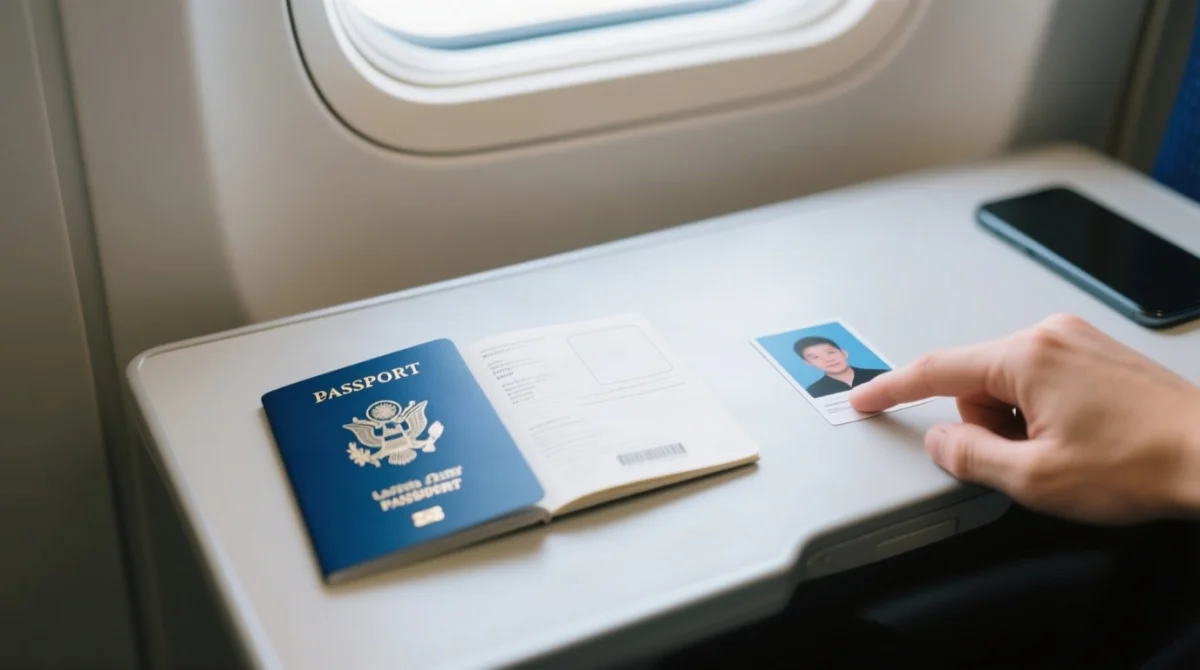
Check the expiry date on your passport data page (bottom-right corner on UK biometric passports). Count 6 months forward from your planned arrival in Malawi. If the remaining validity is shorter, renew via the HM Passport Office before applying for the Malawi e-visa. You must also upload a colour scan of your passport data page alongside the digital photo when submitting the application on the evisa.gov.mw portal.
Blank Passport Pages Needed for the Malawi e-Visa
Malawi entry requires at least 2 consecutive blank passport pages: one for the entry stamp and one for the exit stamp.
The Malawi e-visa requires at least 2 consecutive blank passport pages. One page accommodates the entry stamp and the other the exit stamp at border control. Officials at Kamuzu International Airport (LLW) may deny entry if insufficient blank space remains, regardless of e-visa approval. If your passport falls short on pages, apply for a UK passport renewal through the HM Passport Office before starting your Malawi e-visa application.
Malawi e-Visa Digital Photo Size, Dimensions & ICAO Standards
The Malawi e-visa digital photo must be 35 mm x 45 mm, minimum 600 x 600 pixels, with the face occupying 60-70% of frame height (29-34.5 mm chin to hair top).
Malawi enforces ICAO Doc 9303 standards, confirmed by the High Commission of India, Lilongwe mandate (effective 1 September 2025). The Malawi e-visa photo must show the applicant front-facing, with both ears, full forehead, and chin within the frame. Eyes must be level with the horizontal midline, mouth closed, and expression neutral. No three-quarter profiles or tilted head positions are accepted.
| Parameter | Minimum | Recommended |
|---|---|---|
| Physical size | 35 x 45 mm | 35 x 45 mm |
| Digital pixels | 600 x 600 px | 600 x 750 px |
| Aspect ratio | 35:45 | 35:45 |
| Head height | 29 mm | 34.5 mm (60-70% of frame) |
| Margin above head | 3 mm | 5 mm |
Background Colour & Photo Quality Standards
Malawi evisa photo requirements specify a plain white background (#FFFFFF), even lighting with no shadows, full colour, and no glasses or coloured contact lenses.
- Plain white background (#FFFFFF). Off-white may be tolerated; light grey is not recommended.
- No patterns, textures, shadows, or gradients.
- Even, diffused lighting. Use front-facing natural daylight or two soft lights at 45-degree angles.
- Stand at least 50 cm from the wall to prevent cast shadows.
- Sharp focus. Blurred or pixelated images will be rejected.
- Full colour (RGB, 24-bit) only. No black-and-white or sepia.
No Glasses, No Head Coverings (Unless Religious)
Per ICAO Doc 9303 Section 4.1.3.1, all glasses are prohibited in Malawi e-visa photos, including prescription spectacles. Glasses cause reflections and obscure eye shape, breaking biometric matching. Zero exceptions apply.
Religious head coverings (hijab, turban, tichel) are permitted if the full face is visible from the hairline to the chin, both sides unobstructed, and no shadow is cast on the face. Coloured or decorative contact lenses are not permitted; clear prescription lenses are acceptable only without reflections.
Image Resolution, File Format & Upload Specifications
The Malawi e-visa portal accepts JPEG or PNG files at minimum 300 DPI, with pixel dimensions of at least 600×600 and a recommended maximum file size of 500 KB.
| Parameter | Requirement |
|---|---|
| Accepted file formats | .jpg /.jpeg /.png |
| Minimum resolution | 300 DPI |
| Pixel dimensions | 600×600 px minimum |
| Maximum file size | 500 KB (recommended) |
| Colour mode | RGB, 24-bit |
| Compression | Lossy JPEG at 85-92% quality |
Take the photo
Take the photo with a smartphone or camera against a plain white wall.
Crop the image
Crop the image to 35×45 mm using a free tool such as Passport Photo Online.
Check file size
Check the resulting file size against the 500 KB limit.
Compress if needed
Compress with TinyPNG or Squoosh if the file exceeds the limit.
Upload the final image
Upload the final image to the evisa.gov.mw portal.
Downscale from a high-resolution original (e.g., 12 MP smartphone photo) to 600×600 px, then compress to 500 KB or less. Avoid upscaling a low-resolution image; the Malawi e-visa portal may reject it.
Common Mistakes When Uploading a Malawi e-Visa Photo
- Non-white background. Patterned walls or outdoor scenes cause instant rejection. Use plain white (#FFFFFF).
- File too large or wrong format. Files over 500 KB or in.heic/.bmp fail on the portal. Use JPEG.
- Glasses left on. Prohibited per ICAO Doc 9303 Section 4.1.3.1. Remove all spectacles.
- Photo older than 6 months. Must be taken within the last 6 months from application date.
- Wrong cropping. Face must occupy 60-70% of frame height. Too small or off-centre fails.
- Selfie submitted. Head tilt, arm visible, incorrect distance. Use a proper passport photo setup.
- Edited or filtered photo. Beauty filters, HDR, or excessive contrast adjustments cause rejection.
Complete Malawi e-Visa Application Checklist for UK Travellers
UK travellers applying for a Malawi e-visa need a valid passport (6+ months), 2 blank pages, a compliant digital photo, and a printed approval letter at the border.
- Passport valid for at least 6 months from entry date
- At least 2 consecutive blank pages
- Photo 35 x 45 mm, at least 600 x 600 px, white background, 300 DPI
- JPEG or PNG, maximum 500 KB
- Photo taken within last 6 months from application date
- No glasses; neutral expression; eyes open
- Passport data page scan (colour, no glare)
- Account created on evisa.gov.mw
- Payment ready: Debit card (Master) for application fee and convenience fee
- Print the e-visa approval letter for presentation at the border (mandatory before travelling)
| Spec | Value |
|---|---|
| Passport validity | 6+ months from entry |
| Blank pages | 2+ consecutive |
| Photo size (print) | 35 x 45 mm |
| Photo size (digital) | 600+ x 600 px |
| Background | Plain white (#FFFFFF) |
| Resolution | 300+ DPI |
| File format | JPEG / PNG |
| Max file size | 500 KB |
| Photo age | 6 months max |
| Face ratio | 60-70% of frame height |
Frequently Asked Questions About Malawi e-Visa Photo & Passport Requirements
What size should my photo be for a Malawi e-visa in 2026?
The Malawi e-visa photo must be 35 mm wide and 45 mm tall, minimum 600×600 pixels. Your face must occupy 60 to 70 per cent of the frame height (29 to 34.5 mm chin to hair top).
What background colour is required for a Malawi visa photo?
The Malawi e-visa photo requires a plain, uniform white background (#FFFFFF). Light grey, coloured, or patterned backgrounds cause rejection. Ensure even lighting with no shadows.
How many months of passport validity do I need for the Malawi e-visa?
You need at least 6 months of passport validity beyond your planned entry date. If you arrive on 1 December 2026, your passport must be valid until at least 1 June 2027.
Can I wear glasses in my Malawi e-visa photo?
No. All glasses, including prescription spectacles and sunglasses, must be removed per ICAO Doc 9303 Section 4.1.3.1. Zero exceptions apply for the Malawi evisa photo requirements.
How many blank pages do I need in my passport for Malawi?
You need at least 2 consecutive blank pages: one for the entry stamp and one for the exit stamp. Border officials at Kamuzu International Airport (LLW) may deny entry if insufficient space remains.
What file format and size is accepted for the Malawi e-visa photo upload?
The Malawi e-visa portal accepts JPEG (.jpg or.jpeg) and PNG (.png) files. The recommended maximum file size is 500 KB. Compress with TinyPNG or Squoosh if needed.
How recent does my passport photo need to be for the Malawi e-visa?
Your passport photo must have been taken within the last 6 months from the date of your Malawi e-visa application. Do not reuse an older photo even if your appearance has not changed.
Do I need to remove my hijab or turban for the Malawi visa photo?
Religious head coverings like hijabs or turbans are permitted if the full face is visible from the hairline to the chin, both sides unobstructed, and no shadow is cast on the face.
What happens if my photo is rejected during the e-visa application?
You will receive a notification to re-upload a compliant photo. Processing may be delayed by 2 to 5 business days per re-submission. Verify your file format, background colour, and dimensions before uploading again.
Where can I apply for the Malawi e-visa as a UK citizen?
UK citizens can apply for the Malawi e-visa online through the immigration portal at evisa.gov.mw. The portal is operated by the Department of Immigration and Citizenship Services and is an external resource.