
Last updated: September 2026. Reviewed by our travel visa editorial team, who tested the Malawi e-Visa System login flow on 10 March 2026 using Chrome 120.
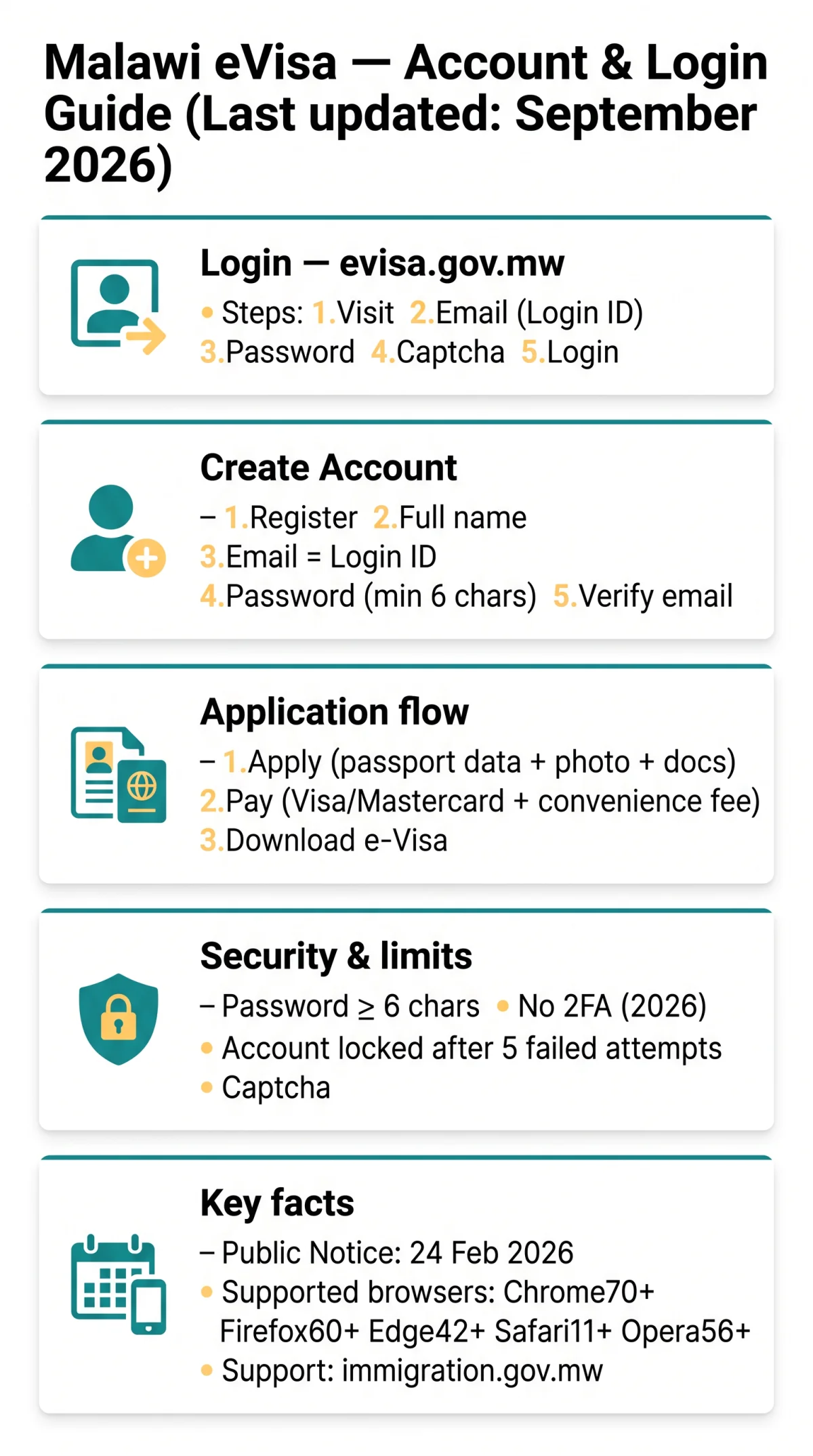
To log in to the Malawi eVisa portal, visit evisa.gov.mw, enter your registered email address as your Login ID, type your password, complete the captcha, and click Login. New applicants must first create an account and verify their email. Forgotten credentials can be recovered via the “Forgot Password” link or by contacting the Malawi Department of Immigration and Citizenship Services directly.
Accessing the Malawi eVisa Portal & Logging In
The Malawi eVisa login portal at evisa.gov.mw is the single gateway for UK tourists to apply, pay, and download their electronic visa. The portal, formally known as the Malawi e-Visa System, is operated by the Malawi Department of Immigration and Citizenship Services (copyright 2026). Navigation links include Home, About Us, Services, FAQs, Contact Us, and Login.
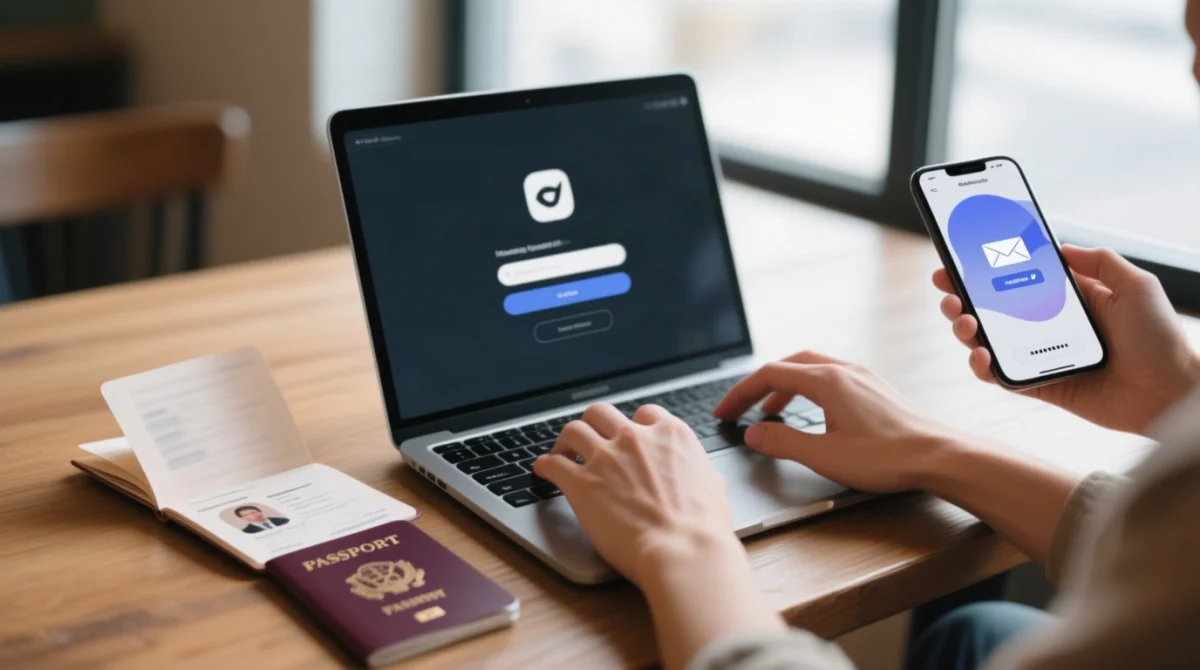
Visit evisa.gov.mw
Visit evisa.gov.mw and click Login in the top navigation.
Enter your email address
Enter your registered email address (this is your Login ID).
Enter your password
Enter your password.
Complete the captcha
Complete the captcha verification.
Click the Login button
Click the Login button.
This site is an informational travel portal, not the government website. Visa procedures and portal interfaces may change without notice. Always verify the latest requirements on evisa.gov.mw before applying.
Completing the Captcha
If the captcha fails to load, disable your ad blocker, ensure JavaScript is enabled, or reload the page. An expired captcha session requires a full page refresh before retrying.
Supported Browsers
According to the Malawi Department of Immigration’s technical notice (2026), the Malawi eVisa portal supports the following minimum browser versions:
| Browser | Minimum Version |
|---|---|
| Google Chrome | 70 |
| Mozilla Firefox | 60 |
| Microsoft Edge | 42 |
| Apple Safari | 11 |
| Opera | 56 |
Creating Your Malawi eVisa Account
Register at evisa.gov.mw by entering your full name, email address (which becomes your Login ID), and a password meeting the minimum 6-character requirement.
Click Register
Navigate to the portal and click Register.
Enter your full name
Enter your full name (as it appears on your passport).
Enter your email address
Enter your email address (this becomes your Login ID).
Create a password
Create a password (minimum 6 characters).
Confirm and submit
Confirm your password and submit the registration form.
Password Requirements
The Malawi e-Visa System requires a password of at least 6 characters. Use a password manager to generate and store a strong, unique password to avoid lockouts.
Verifying Your Email Address
After registration, a confirmation email with a verification link is sent to your registered address. You must click this link to activate your account. Without verification, the account remains inactive and you cannot log in. If the email does not arrive within 5 minutes, check your spam or junk folder and verify you entered the correct email address.
After You Log In: Applications, Payments & Account Security
After login, the Malawi eVisa dashboard shows three steps: apply, pay, receive your visa certificate. Before applying, use the Visa Eligibility Wizard on the portal to check if you qualify. Under the Public Notice effective 24th February 2026, Category One countries nationals must obtain a visa before departure, while Category Two countries nationals may obtain a visa on arrival at designated ports but are strongly encouraged to apply via evisa.gov.mw.
- Apply for e-Visa: complete the online form with passport data page information, travel details, a photograph, and supporting documents
- Proceed with payment: pay the visa fee plus a convenience fee using a credit card or debit card on the Visa or Mastercard network; a confirmation email is sent after payment
- Receive your Visa Certificate / Document: download the e-Visa approval letter, print it, and show the printed copy at the Port of Entry passport control counter
Use the Check Status of Visa feature on the dashboard to track your application. You can also update personal details such as your passport number and contact information from your profile settings. Malawian officials at ports of entry reserve the right to deny entry to an e-Visa holder based on inspection and verification.
Two-Factor Authentication (2FA)
As of 2026, the Malawi eVisa portal does not support two-factor authentication. Use a strong, unique password and log out on shared devices to secure your account.
How to Reset Your eVisa Password
Click “Forgot Password” on evisa.gov.mw, enter your registered email address, and follow the reset link sent to your inbox to set a new password.
- Go to the Malawi eVisa login page at https://evisa.gov.mw/
- Click the “Forgot Password” link beneath the login fields
- Enter your registered email address (your Login ID) and submit
- Check your inbox for the reset link; if it does not arrive within 5 minutes, check your spam folder
- Click the reset link in the email
- Create a new password of at least 6 characters and confirm it
- Return to the login page and test your new Malawi eVisa credentials
Recovering Your Account
If you lose access to both your registered email and password, contact the Malawi Department of Immigration and Citizenship Services with your passport copy and original registration details to recover the account.
| Problem | Solution |
|---|---|
| Forgot password, still have email access | Use the “Forgot Password” reset steps above |
| Lost email access, remember password | Log in and update email in profile settings; if unavailable, contact the Department of Immigration |
| Lost access to both email and password | Contact the Malawi Department of Immigration and Citizenship Services with: passport copy, original registration email (if known), full name as registered |
How to Contact the Department for Account Issues
Visit the “Contact Us” page at immigration.gov.mw for current contact details. Prepare your passport copy, full registered name, and a description of the issue. Allow several business days for a response.
How to Change the Email Address on Your Account
Self-service email change may be available from your profile settings in the Malawi eVisa dashboard. If not available, contact the Department of Immigration via the immigration.gov.mw contact page.
This guide is informational. The Department of Immigration is the authoritative contact for Malawi eVisa account recovery.
Troubleshooting Malawi eVisa Login Problems
| Error | Likely Cause | Solution |
|---|---|---|
| Invalid credentials | Wrong email or password entered | Check spelling, disable Caps Lock, verify your registered email is your Login ID; use “Forgot Password” |
| Captcha failed / expired | Session timeout or ad blocker blocking the widget | Reload the page, disable ad blockers, use a supported browser (Chrome 70+, Firefox 60+, Edge 42+, Safari 11+, Opera 56+) |
| Account locked | Multiple failed attempts | Wait for the lockout to expire, then use “Forgot Password” |
| Session expired | Inactivity timeout | Have your passport and photo ready before starting; complete the application in one sitting |
| Page not loading | Unsupported browser or corrupted cache | Clear your browser cache, try incognito mode, verify your internet connection |
Account Lockout After Failed Login Attempts
After 5 failed attempts, your Malawi eVisa account is temporarily locked. Wait for the lockout period to expire, or use “Forgot Password” to reset credentials.
Form Timeout and Auto-Save
The Malawi eVisa portal may close your session after prolonged inactivity. Partial application data is not guaranteed to be saved. Prepare all required documents before beginning your application.
Frequently Asked Questions (FAQ)
What is the URL for the Malawi eVisa login portal?
https://evisa.gov.mw/, operated by the Malawi Department of Immigration and Citizenship Services.
How do I create a Malawi eVisa account?
Click Register on the portal, enter your full name, email address (Login ID), and password (min. 6 characters), then verify via the confirmation link sent to your email.
I forgot my password. How do I reset it?
Click “Forgot Password” on the login page, enter your registered email, and follow the reset link to create a new password (min. 6 characters). Check spam if no email arrives within 5 minutes.
I get an “Invalid credentials” error. What should I do?
Verify Caps Lock is off and check your email spelling. If the error persists, use “Forgot Password” to generate a new password.
What payment methods does the eVisa portal accept?
Credit card or debit card on the Visa or Mastercard network. The total includes a visa fee plus a convenience fee.
Does the Malawi eVisa portal support two-factor authentication?
As of 2026, 2FA is not supported. Use a strong unique password and log out on shared devices.
How do I check my eVisa application status?
Log in at evisa.gov.mw and use the “Check Status of Visa” feature on your dashboard. Email notifications are sent at each stage.
Who do I contact for technical issues with the eVisa portal?
Visit the “Contact Us” page at https://evisa.gov.mw/ or https://www.immigration.gov.mw/. Allow several business days for a response.