
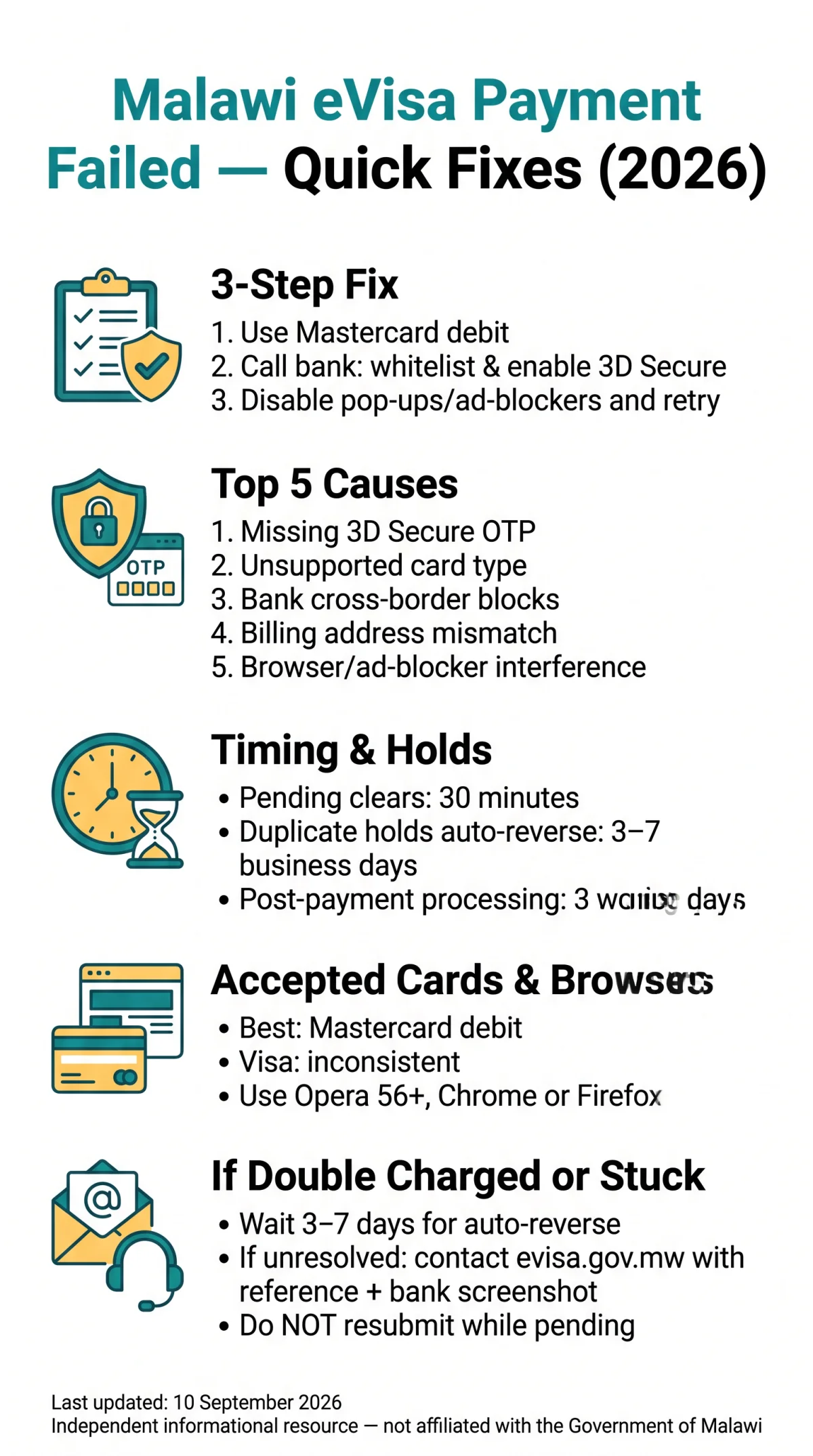
If your malawi evisa payment failed, the gateway likely rejected your card due to missing 3D Secure OTP, unsupported card type, or bank-side cross-border blocks. Use this 2026 troubleshooting guide to fix declined cards, double charges, and stuck transactions on evisa.gov.mw.
The 3-step process on evisa.gov.mw accepts Mastercard debit cards (primary) and Visa (inconsistent support), with a convenience fee added to the visa fee during Step 2. UK-issued cards from banks like HSBC, Barclays, or Lloyds often decline cross-border transactions to African acquiring banks.
Last updated: 10 September 2026. This is an independent informational resource, not affiliated with the Government of Malawi or the Department of Immigration and Citizenship Services. Always verify details on evisa.gov.mw before travelling.
Why Your Malawi eVisa Payment Fails and Bank-Side Blocks
The Malawi eVisa gateway most often rejects transactions due to missing 3D Secure OTP, unsupported card type, or bank-side cross-border blocks. A malawi evisa payment failed error most often stems from bank-side blocks, not the portal itself.
Top 5 causes of Malawi eVisa payment failures:
- Missing 3D Secure OTP verification (Mastercard Identity Check or Verified by Visa)
- Bank security check flags on cross-border transactions to African acquiring banks
- Billing mismatch between registered card address and payment details
- Gateway outage or timeout on evisa.gov.mw
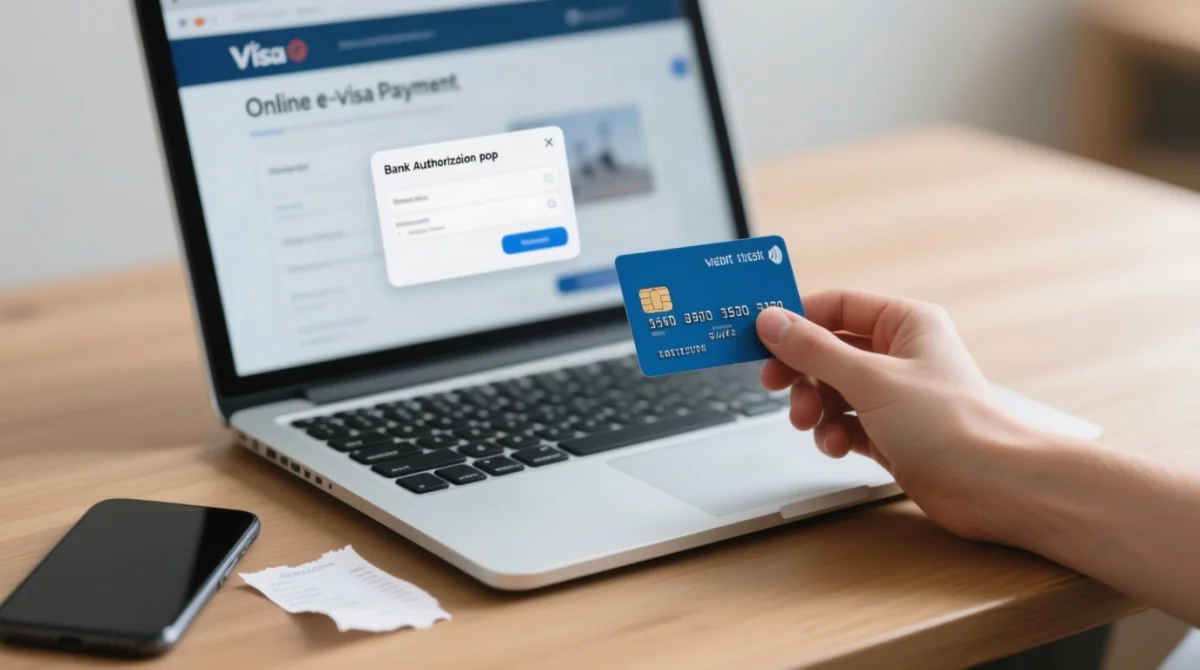
- Browser or ad-blocker interference with the bank authorisation pop-up
Cards decline when the issuing bank flags the African-acquirer transaction as suspicious. Call your bank beforehand to whitelist payments to Malawi. After successful payment, the Malawi eVisa processing time is 3 working days.
3D Secure and OTP Verification
If the bank’s OTP SMS or app prompt never appears, disable pop-up blockers, allow third-party cookies, and ensure your registered mobile number can receive international SMS.
Decision tree: Is your card 3D Secure enabled?
- Yes – proceed to payment on evisa.gov.mw
- No – contact your bank to activate Mastercard Identity Check or Verified by Visa before retrying
- Confirm your UK bank (e.g., HSBC, Barclays, Lloyds) has your current mobile number for SMS/app OTP authentication. A bank security check requires this for international transactions.
- Disable pop-up blockers; the Malawi eVisa gateway opens a third-party bank authorisation window that ad-blockers silently suppress.
Template message for your bank’s fraud team: “I am about to make an international payment to the Government of Malawi eVisa portal (evisa.gov.mw). Please authorise this transaction and confirm my 3D Secure is active.”
Billing Currency and Foreign Fees
The Malawi eVisa payment gateway bills in USD or MWK depending on the acquiring bank. Unexpected currency conversion flags trigger automatic bank declines on UK-issued cards. A billing mismatch between your card’s registered address and the payment details can also cause rejection.
| UK Bank | Foreign Transaction Fee | Notes |
|---|---|---|
| HSBC | Varies by account | May block African acquirers |
| Barclays | Varies by account | Requires OTP for international |
| Lloyds | Varies by account | SMS authentication required |
| NatWest | Varies by account | International transactions may need activation |
| Monzo | Fee-free on most plans | Good for travel payments |
| Starling | Fee-free on most plans | Good for travel payments |
Before paying, call your bank’s fraud team, request temporary authorisation for international transactions, and confirm 3D Secure is active. The Malawi eVisa convenience fee applies in addition to the visa fee.
Resolving Double Charges and Stuck Transactions on evisa.gov.mw
Duplicate holds auto-reverse in 3-7 business days (standard banking hold release, not a portal refund). If your malawi evisa payment failed with a double charge, email the Department of Immigration and Citizenship Services via the evisa.gov.mw contact form with your application reference.
How to Dispute a Double Charge
The Malawi eVisa payment gateway can process a transaction twice when a session times out mid-checkout. Duplicate holds auto-reverse within 3-7 business days. Only genuine duplicate charges are reversed; Malawi eVisa fees are non-refundable per the portal’s FAQ.
If the hold persists beyond 7 business days, contact the Department of Immigration and Citizenship Services via the support form on evisa.gov.mw and include your application reference number plus a bank statement screenshot showing both charges.
Session Timeout and Pending Status
A stuck transaction on the Malawi eVisa portal usually clears within 30 minutes; the payment gateway releases the lock automatically once the session expires. A gateway outage may extend this window. Do not resubmit while a Malawi eVisa transaction is pending.
| Do | Don’t |
|---|---|
| Wait 30 minutes for the pending status to clear | Refresh or resubmit the payment page |
| Retry only after the pending lock disappears | Open multiple browser tabs for the same application |
| Email support on evisa.gov.mw with your reference number if the hold persists | Start a new application – use “My Applications” to retry the existing dossier |
Accepted Payment Methods and Browser Compatibility
The portal lists Mastercard debit cards as the primary payment method; Visa and credit-card support is inconsistent, so use a debit card rather than a credit card for the highest success rate on the Malawi eVisa portal. A convenience fee applies in addition to the visa fee, and all fees are non-refundable even when a Malawi eVisa payment fails.
Mastercard vs Visa Acceptance
| Card Type | Acceptance | Reliability |
|---|---|---|
| Mastercard debit | Listed on portal Step 2 | Highest reported |
| Visa | Confirmed per user reports (Dec 2025) | Inconsistent |
| Credit cards | Accepted | Prone to bank fraud blocks |
The Malawi eVisa portal officially lists Mastercard as the primary accepted network per evisa.gov.mw (accessed September 2026). Visa support was confirmed in a December 2025 user report but reliability remains inconsistent. For a full breakdown of accepted payment methods and gateway details, check our dedicated guide.
Browser Cache and Ad-Blocker Interference
- Use Opera 56+ (as specified by evisa.gov.mw), Chrome, or Firefox for optimal browser compatibility.
- Clear your browser cache and cookies before starting the Malawi eVisa payment step to avoid stale session data causing gateway errors.
- Disable all ad-blockers and pop-up blockers; the Malawi eVisa gateway opens a third-party pop-up that blockers silently suppress, triggering a failed Malawi eVisa transaction.
Recovering Your Application and Contacting Malawi eVisa Support
Log back in with your existing account, navigate to My Applications, and select the unpaid dossier. The Malawi eVisa portal retains your data so you can retry payment without re-entering details. For help with account registration and management, see our portal guide.
Recovering Your Application Reference
Log in and select your dossier
Open My Applications on evisa.gov.mw and select the unpaid dossier. The system preserves your traveller details and submitted documents after a gateway disconnection.
Retrieve reference and retry
Retrieve your reference number and retry the Malawi eVisa payment using a Mastercard debit card for the highest success rate.
Contact support if needed
If the portal does not display your application, email the Department of Immigration and Citizenship Services via the evisa.gov.mw contact form with your transaction ID and a bank statement screenshot.
Visa on Arrival at Port of Entry
Under the 24 February 2026 public notice by the Government of Malawi, nationals of Category Two Countries may obtain a Visa on Arrival at all designated ports of entry. Category One Countries nationals must obtain a visa before departure. If your Malawi eVisa payment failed, this fallback permits eligible travellers to board and enter Malawi, subject to Malawi Immigration laws. To compare both options, read our guide on Malawi eVisa vs Visa on Arrival. Present the e-Visa approval letter at the Passport control counter for verification, and carry a mandatory printed copy before travelling.
FAQ: Malawi eVisa Payment Problems
Why did my Malawi eVisa payment fail?
The evisa.gov.mw gateway rejects transactions due to missing 3D Secure OTP, unsupported card types (use Mastercard debit), or bank-side blocks. Other causes include billing mismatch, browser compatibility issues, and temporary gateway outage.
How do I fix a declined card on the Malawi eVisa portal?
Call your UK bank to whitelist payments to Malawi, request temporary international authorisation, and confirm 3D Secure is active. Use a Mastercard debit card for highest reliability on the Malawi eVisa portal.
What happens if I am double charged for my Malawi eVisa?
Duplicate pending holds auto-reverse within 3-7 business days (standard banking hold release, not a portal refund). If unresolved, email evisa.gov.mw support with your application reference and bank statement screenshot.
How long does a stuck transaction stay pending on the eVisa portal?
A pending status clears within 30 minutes. Do not resubmit or refresh while pending, as this creates a duplicate Malawi eVisa dossier. Wait for the session to expire before retrying.
Are Visa cards accepted on the Malawi eVisa portal?
Yes, but Mastercard debit cards have the highest reported reliability. The Malawi eVisa portal lists Mastercard as the primary network; Visa support is inconsistent per user reports (Dec 2025). Use Mastercard debit for best results.
Are Malawi eVisa fees refundable if the payment fails?
No, Malawi eVisa fees are strictly non-refundable per the Department of Immigration and Citizenship Services. Only genuine duplicate charges auto-reverse within 3-7 business days through standard banking processes.
What should I do if the Malawi eVisa payment gateway is down?
Wait 30 minutes, clear browser cache, disable ad-blockers, and use Opera 56+, Chrome, or Firefox. If the gateway outage persists, wait 24 hours before reattempting the Malawi eVisa payment.
Can I get a Visa on Arrival in Malawi if the eVisa payment fails?
Under the 24 February 2026 public notice, nationals of Category Two countries are eligible for Visa on Arrival at all designated ports of entry into Malawi without a visa prior to departure.
How do I recover my Malawi eVisa application after a payment timeout?
Log back into evisa.gov.mw, navigate to My Applications, and select the unpaid dossier. The Malawi eVisa portal retains your data, allowing you to retry payment without re-entering traveller details or uploading documents again.
Quick-Fix Summary
To fix a failed Malawi eVisa payment: use a Mastercard debit card, pre-authorise with your bank, disable pop-up blockers, and never resubmit while a transaction is pending. Wait 30 minutes for stuck transactions and 3-7 business days for duplicate hold reversals.