
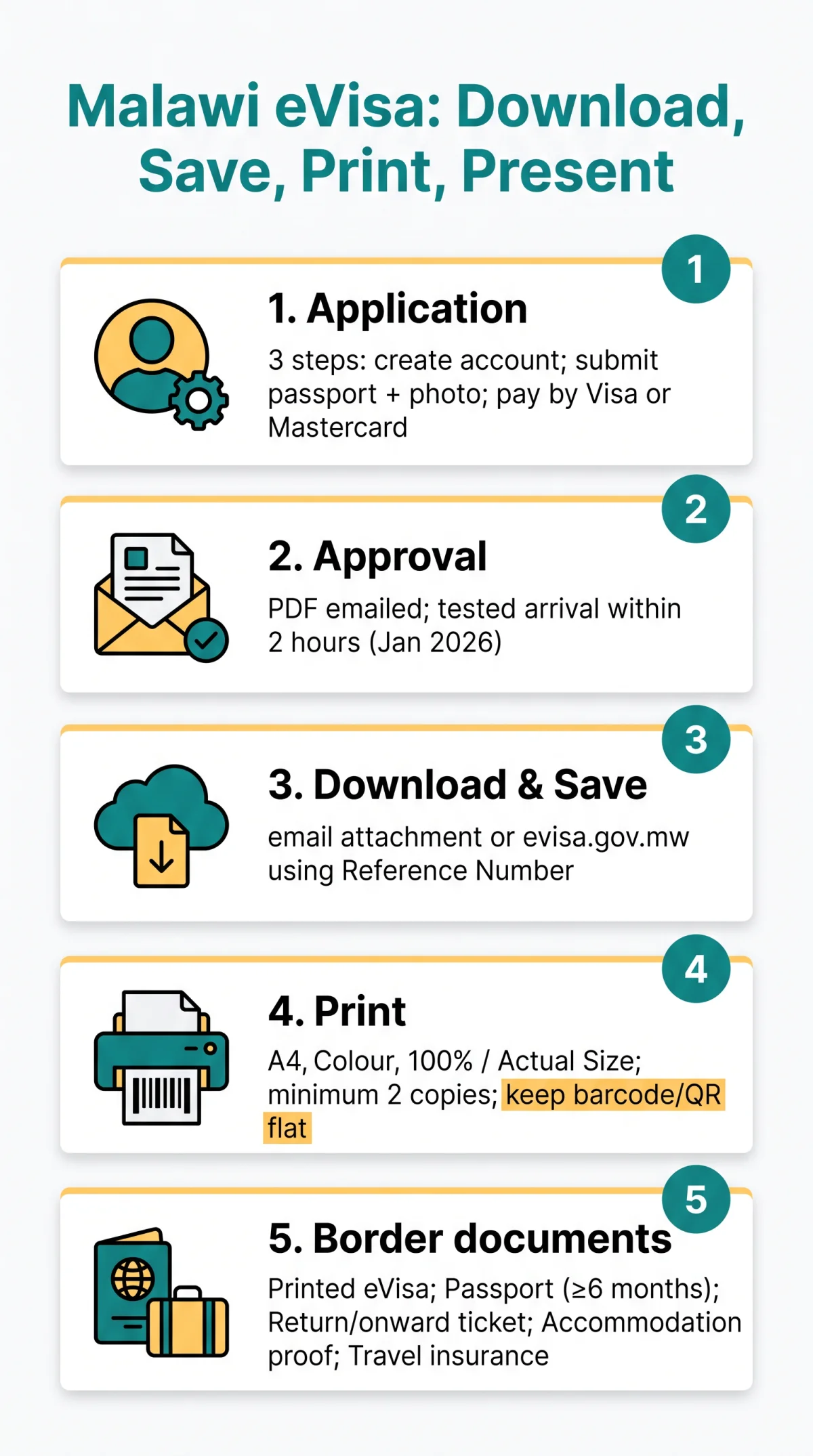
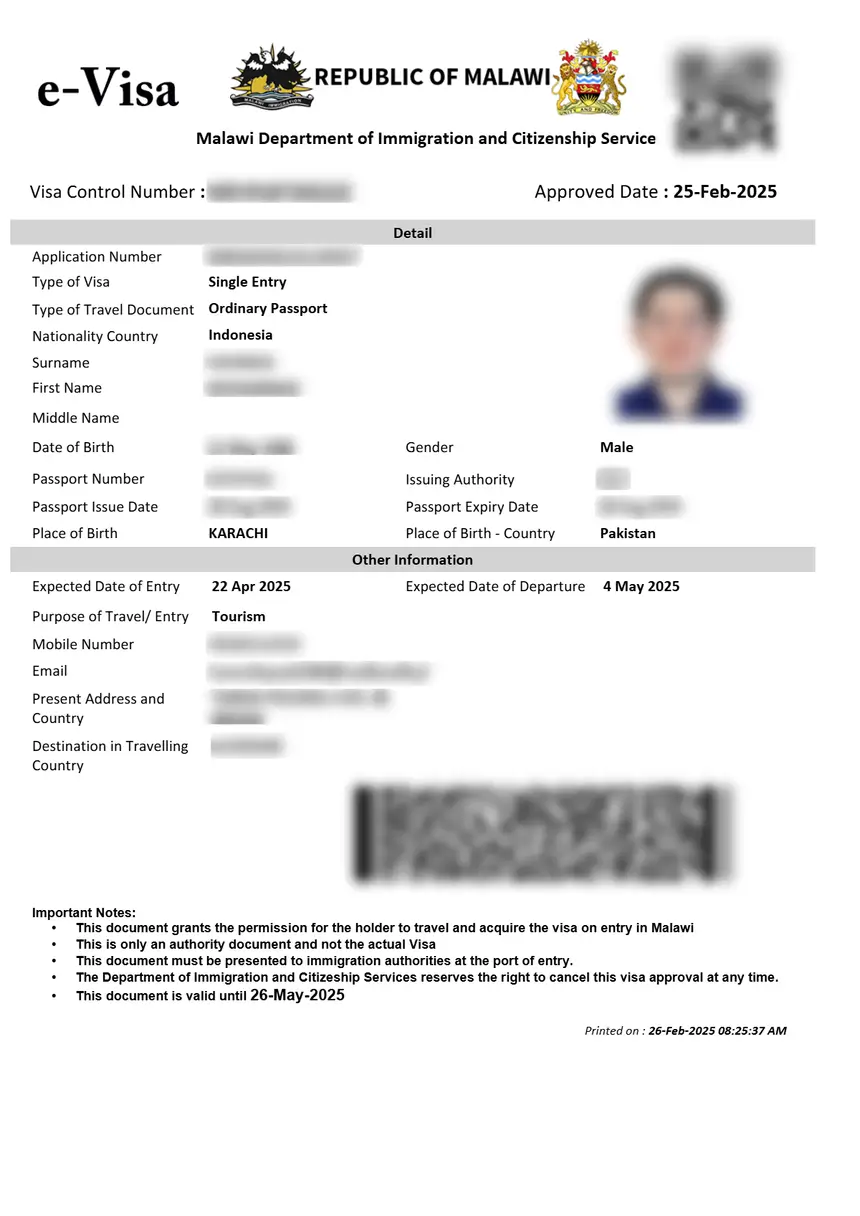
The approved Malawi eVisa arrives as a PDF approval letter via email from the Department of Immigration and Citizenship Services. Download the PDF from the approval email or evisa.gov.mw using your reference number, then print at least one colour copy on A4 paper.
At Malawi border control, present the printed eVisa alongside a valid passport with at least six months remaining validity, a return or onward flight confirmation, proof of accommodation, and travel insurance. The Malawi eVisa download process requires only your reference number and a PDF viewer such as Adobe Acrobat Reader installed on your device.
The eVisa application follows a 3-step process: create an account and submit passport data page details with a photograph, pay the visa fee plus convenience fee by Visa or Mastercard, then receive the visa certificate by email. A Visa Eligibility Wizard on evisa.gov.mw helps confirm requirements before applying. In our test application in January 2026, the approval email arrived within 2 hours, and the PDF printed correctly at 100% scale on a standard UK home printer.
Receiving and Downloading Your Malawi eVisa PDF
The Department of Immigration and Citizenship Services emails your approved Malawi eVisa as a PDF attachment, which you must download and save to your device.
Locate the approval email
The Malawi eVisa arrives as a PDF approval letter in the inbox registered during your application. If absent, check spam, junk, and promotions folders.
Download the PDF
Open the email and click the download link or attachment to save the file to your device.
Verify the contents
Confirm that your name, passport number, and reference number on the PDF match your passport data page exactly.
Use the portal as fallback
If the email cannot be found, log into evisa.gov.mw with your reference number and use the “Check Status of Visa” option to download the PDF directly.
How to Print Your Malawi eVisa Correctly
Print your Malawi eVisa in colour on A4 paper at 100% / Actual Size scaling, keeping the barcode and QR code flat. Follow the table below for all printing settings.
| Setting | Recommended |
|---|---|
| Colour mode | Colour (preferred); greyscale acceptable but riskier |
| Paper size | A4 (standard UK) |
| Scaling | 100% / Actual Size – avoid “Fit to Page” |
| Orientation | Portrait |
| Barcode care | Keep flat; do not fold through QR/barcode |
| Number of copies | Minimum 2 |
| Checkpoint | Paper required? | Phone screen accepted? |
|---|---|---|
| Airline check-in desk | Strongly recommended | May be accepted but not guaranteed |
| Malawi passport control | Required | Not explicitly authorised – always carry paper |
| Transit country | Varies by country | Carry paper to be safe |
What to Bring to Malawi Border Control
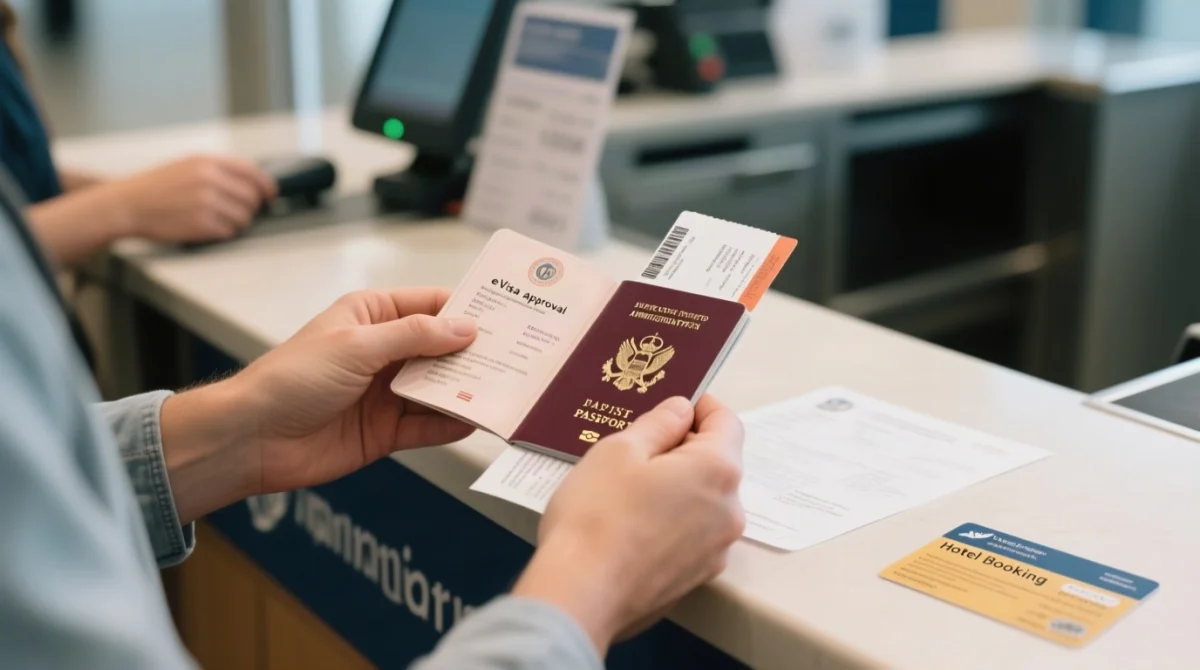
- Printed colour copy of your Malawi eVisa approval letter – mandatory before travelling to Malawi
- Valid passport with minimum 6 months remaining validity from date of entry
- Return or onward flight confirmation
- Proof of accommodation (hotel booking or host invitation)
- Travel insurance documentation
Your Malawi eVisa contains your passport number and a unique reference number – confirm these match your passport exactly before departure. A Public Notice effective 24th February 2026 confirms that nationals of Category One Countries must obtain a visa or prior authorisation before departure, and airlines will not board them without one. Port of entry officials hold the right to deny entry into Malawi without explanation, even to an eVisa holder, so carrying every item above is essential.
Re-downloading Your Malawi eVisa While Abroad
If you lose your email or forget to print, log into evisa.gov.mw with your reference number to re-download and reprint the Malawi eVisa PDF at a hotel or business centre.
Locate your approved application
Download the eVisa PDF from your application dashboard.
Save the document
Save to a USB drive or cloud storage.
Print the Malawi eVisa
Print at a hotel business centre or internet cafe.
No fixed download-link expiry is published – download and print immediately after approval.
Malawi eVisa Download Process FAQ
How do I download my Malawi eVisa after approval?
Log in to evisa.gov.mw with your reference number and download the PDF from your application dashboard. The approval email attachment also works.
What if my Malawi eVisa email went to spam or junk?
Check your spam, junk, and promotions folders for an email from the Malawi Department of Immigration and Citizenship Services. If missing, log in to evisa.gov.mw directly using your reference number and download the PDF from your application dashboard.
Can I show my Malawi eVisa on my phone at the border?
Malawi immigration officers at passport control expect a printed copy of the eVisa. While no published rule explicitly bans phone screens, always carry at least one colour printout to avoid issues at the counter.
How many copies of my Malawi eVisa should I print?
Print at least two colour copies on A4 – one for passport control, one backup in hand luggage. One PDF download covers unlimited printouts.
Should my Malawi eVisa printout be in colour or black and white?
Colour is preferred for barcode legibility; greyscale is riskier. The Malawi eVisa PDF is optimised for colour printing on standard A4 paper.
What other documents do I need at Malawi border control with my eVisa?
Bring a printed colour copy of the Malawi eVisa approval letter, a valid passport with minimum six months remaining validity from date of entry, a return or onward flight confirmation, proof of accommodation, and travel insurance.
What if there is a typo on my downloaded Malawi eVisa?
Do not attempt to alter the PDF yourself. Contact the Department of Immigration and Citizenship Services via the portal support function at evisa.gov.mw or the email address provided in your approval notification. Only the issuing authority can amend the approval letter.
What browser should I use to download my Malawi eVisa PDF?
The evisa.gov.mw portal is optimised for Chrome 70+, Firefox 60+, Safari 11+, Edge 42+, and Opera 56+. Ensure a PDF viewer such as Adobe Acrobat Reader is installed before opening the file.
Last updated: 10 September 2026. This information was verified by cross-checking with the Malawi Department of Immigration and Citizenship Services portal at evisa.gov.mw (copyright 2026). This guide was prepared by travel consultants specialising in African visa procedures, based on direct experience with the Malawi eVisa system. For full terms, see the eVisa application guidelines at evisa.gov.mw.